Best Way to Extract Data from I-129 Forms Using AI
Updated: June 4, 2026
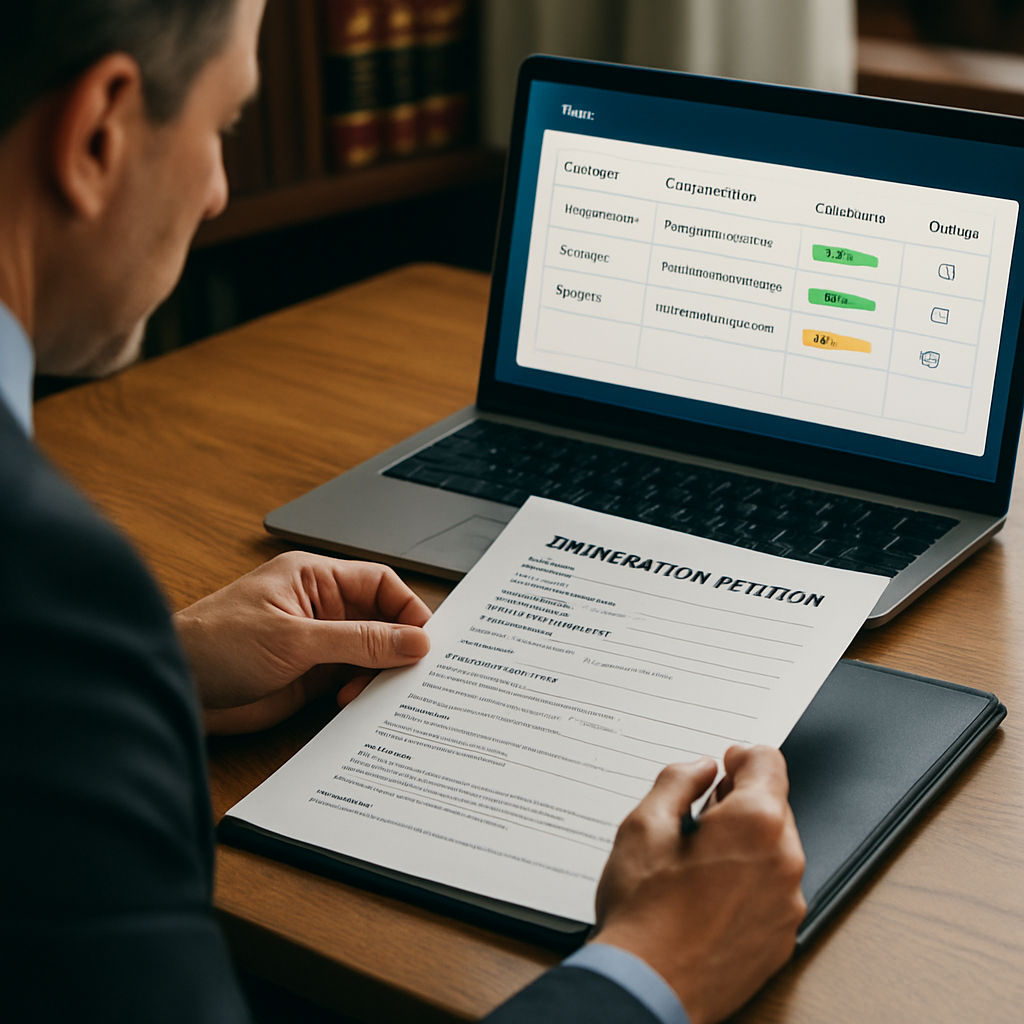
For immigration law teams, extracting reliable, structured data from I-129 (Petition for a Nonimmigrant Worker) forms is a repetitive but critical task. This guide explains the technical approaches and vendor features that matter when evaluating the best way to extract data from I-129 forms using AI. It balances practical implementation steps with evaluation criteria to help managing partners, immigration attorneys, in-house counsel, and practice managers choose a solution that scales accuracy, compliance, and throughput.
What to expect: a compact table of contents, a technical comparison of OCR and machine learning extraction approaches, guidance on confidence thresholds and validation and human-in-the-loop verification for ai extraction, integration patterns with case management systems, and an implementation checklist. We also include a sample data schema and a comparison table to support procurement discussions. Throughout, the guidance ties back to LegistAI's capabilities for workflow automation, document automation, AI-assisted drafting, and secure role-based controls.
More in Client Portals
Browse the Client PortalsTable of contents and quick orientation
This guide is organized for quick reading and practical adoption. Use the sections below as a roadmap:
- OCR vs. Machine Learning extraction — core differences and when to use each
- Confidence thresholds and validation — setting acceptable risk levels
- Human-in-the-loop workflows — practical designs for accuracy and compliance
- Integration patterns with immigration case management and client portals
- Data mapping, schema design, and a sample I-129 JSON schema
- Implementation checklist and rollout plan
- Security and audit controls
Each section includes actionable recommendations and examples relevant to immigration practices handling petitions, RFEs, and routine reporting. The primary keyword — best way to extract data from i-129 forms using ai — appears throughout the guide in context, helping you evaluate solutions on technical merits and operational fit.
OCR vs. machine learning extraction: selecting the right approach
Choosing the best technical approach is foundational. Optical character recognition (OCR) and machine learning (ML) extraction are complementary techniques, not mutually exclusive. OCR converts scanned images into text, while ML extraction classifies and maps textual patterns into structured fields. For the best way to extract data from I-129 forms using AI, most high-performing pipelines combine OCR for raw text capture with ML models trained to interpret form semantics, layout, and domain-specific phrasing.
OCR: strengths and limitations
OCR is fast and mature for printed text and standard fonts. It excels when I-129 pages are high-quality scans or digital PDFs. Strengths include broad vendor support, predictable latency, and straightforward preprocessing. Limitations appear with handwritten entries, unusual layouts, or documents with heavy redactions and stamps. OCR alone often produces noisy tokens that still require significant downstream normalization and context-aware parsing.
Machine learning extraction: contextual understanding
ML extraction uses models — ranging from rule-enhanced parsers to transformer-based language models — to identify fields such as petitioner name, employer EIN, job title, and start dates. ML approaches can leverage visual features (layout and table detection) plus natural language understanding to handle variations in how data is entered on I-129s. This is particularly useful when forms contain narrative fields or supporting attachments like employer support letters where intent and semantic context matter.
Recommended architecture
For immigration teams, the recommended architecture layers OCR + ML extraction with a validation layer:
- High-quality OCR pass (with page segmentation and zonal OCR for known locations)
- ML field extraction that ingests OCR tokens with positional metadata and predicts field labels and confidence scores
- Normalization and canonicalization for names, dates, and numeric identifiers (EINs, A-numbers)
- Confidence scoring that feeds into a human-in-the-loop validation workflow
This hybrid approach balances throughput and accuracy. LegistAI implements similar layered pipelines to combine document automation with AI-assisted drafting and case management capabilities, reducing manual keying while preserving attorney oversight.
Confidence thresholds, validation, and human-in-the-loop verification for AI extraction
Defining acceptable confidence thresholds and designing validation workflows are central to operationalizing AI extraction. The phrase validation and human-in-the-loop verification for ai extraction describes the pattern where automated predictions are selectively escalated to a human reviewer based on confidence or legal risk. For immigration law teams that must maintain compliance and defensible audit trails, human review is not optional — it is a risk management control that complements AI efficiency.
Setting confidence thresholds
Rather than a single pass/fail threshold, implement tiered thresholds tied to field criticality:
- High-criticality fields (petitioner name, beneficiary name, visa classification, dates): require very high confidence (e.g., 95%+), otherwise flag for mandatory review.
- Medium-criticality fields (job title, wage, employer address): allow lower thresholds with targeted sampling for quality control.
- Low-criticality metadata (page count, scanned resolution, presence of attachments): automated handling with periodic checks.
Thresholds should be adjustable and informed by real-world error rates. Systems should log predictions and post-review corrections to continuously recalibrate model confidence.
Designing human-in-the-loop workflows
Effective human-in-the-loop designs balance speed and attorney oversight. Practical patterns include:
- Escalate individual fields that fall below thresholds to paralegals or reviewers with role-based routing.
- Batch low-confidence extractions into review queues prioritized by case deadlines (e.g., RFEs and filing cutoffs).
- Provide inline context in the review UI: original scanned image, extracted text, confidence score, and suggested corrections.
- Capture reviewer edits for model retraining and a continuous feedback loop.
For example, an extraction that identifies beneficiary name with low confidence should present the sentence fragment from the source image and a quick-edit inline to the reviewer. LegistAI's workflow automation supports task routing, checklists, and approvals that integrate these escalation patterns into case management flows.
Validation sampling and QA
In addition to deterministic reviews, implement randomized sampling as a compliance safeguard. Periodically sample high-confidence extractions and review them to detect drift. Track metrics such as field-level accuracy, review turnaround time, and correction rates to build a defensible QA program. Use audit logs and versioning to preserve an immutable trail of who reviewed what and when.
Integration patterns: centralizing documents, case data, and invoices
Integration is a top decision factor for law firms evaluating automation. One of the common operational questions is how to centralize immigration client documents and invoices while keeping extraction outputs synchronized with case management systems. The best practice is to treat the AI extraction service as a document processing microservice that plugs into the broader case management ecosystem.
Common integration topologies
There are three practical patterns for integrating AI extraction into existing workflows:
- Embedded extraction within case management: The case management platform hosts the extraction engine or integrates it via APIs so that documents uploaded to a case automatically trigger processing and populate case fields.
- Document intake gateway: A separate intake portal (client or paralegal-facing) collects documents and forwards them to the AI service for extraction, returning structured results via webhook to be ingested by the case system.
- Batch processing pipeline: For legacy backlogs, extract data in bulk from archived PDFs, output a normalized dataset, and import into the case platform with reconciliation reports.
Key integration features to evaluate
When selecting a vendor or building an integration, prioritize these capabilities:
- APIs and webhooks for document upload, extraction results, and status callbacks.
- Pre-built connectors or configurable mapping templates to common case management field models.
- Bi-directional sync for edits: corrections made in the case system should reconcile back to the extraction dataset and training logs.
- Client portal support for intake and secure document collection; multi-language support for Spanish-speaking clients where applicable.
LegistAI is designed to centralize case data and document flows through its case and matter management plus client portal capabilities. By treating extraction outputs as first-class case data, firms can automate downstream workflows including billing, RFE preparation, and status notifications while maintaining a single source of truth for documents and invoices.
Data mapping, schema design, and a sample I-129 JSON schema
Translating extraction results into usable case fields requires a clear schema and deterministic mapping rules. Define a canonical I-129 schema to normalize variations in form versions and attached exhibits. A consistent schema reduces downstream reconciliation work and improves drafting accuracy when using AI-assisted document generation for petitions and RFE responses.
Principles for schema design
Follow these principles when designing your schema:
- Field-level granularity: separate name components (given name, middle name, family name), separate numeric identifiers (EIN, FEIN), and separate address components.
- Canonical formats: store dates in ISO 8601, normalize phone numbers, and use controlled vocabularies for visa classifications.
- Provenance metadata: keep source page, bounding box coordinates, OCR confidence, and extraction model version for each field.
- Extensibility: allow optional arrays for supporting documents, employment history entries, and attachments.
Sample I-129 JSON schema (implementation artifact)
{
  "form": "I-129",
  "version": "2026-01",
  "petitioner": {
    "legal_name": {"given": "", "middle": "", "family": ""},
    "employer_ein": "",
    "address": {"street": "", "city": "", "state": "", "zip": ""},
    "contact": {"phone": "", "email": ""}
  },
  "beneficiary": {
    "legal_name": {"given": "", "middle": "", "family": ""},
    "birth_date": "",
    "a_number": "",
    "passport_number": ""
  },
  "position": {"job_title": "", "start_date": "", "end_date": "", "wage_offer": ""},
  "classification": {"visa_class": "", "requested_action": ""},
  "attachments": [{"type": "", "filename": "", "page_range": ""}],
  "provenance": {"source_filename": "", "page_index": 0, "field_confidence": 0.0, "ocr_model": "", "extract_model": ""}
}
This snippet illustrates a minimal structure you can extend. Capture the provenance block for compliance and model retraining. Store correction history so that auditor reviews and downstream drafting reflect the latest validated values.
Practical implementation: checklist, rollout, and sample mapping table
Below is a practical rollout checklist and a compact comparison table that procurement teams can use when evaluating vendors. The checklist emphasizes incremental deployment, measurable KPIs, and controls for compliance.
Implementation checklist
- Define scope: identify which I-129 fields and attachments you will extract first (petitioner/beneficiary core identity fields).
- Select extraction architecture: choose OCR + ML hybrid or vendor-managed pipeline based on budget and backlog.
- Design schema and mapping: finalize canonical field list and data types.
- Set confidence thresholds: determine thresholds by field criticality and regulatory risk.
- Configure human-in-the-loop workflows: route low-confidence extractions to reviewers with clear context and edit capabilities.
- Pilot with a representative dataset: run a 4–6 week pilot including RFEs and filings to measure accuracy and turnaround.
- Measure KPIs: track field accuracy, average review time, throughput, and correction rate.
- Iterate and retrain: feed corrected labels back into the ML pipeline for continuous improvement.
- Integrate with case management and billing: ensure extracted data updates matter records and invoice line items where applicable.
- Operationalize governance: enable audit logs, role-based access control, and periodic QA sampling.
Vendor comparison table (actionable artifact)
| Capability | OCR-only | Hybrid OCR + ML | LegistAI (AI-native) |
|---|---|---|---|
| Accuracy on printed fields | Good | Very Good | Very Good |
| Handling handwritten or narrative fields | Poor | Good | Good |
| Provenance and audit logs | Depends | Usually available | Available with role-based controls |
| Human-in-the-loop workflows | Manual | Configurable | Built-in workflow automation and approvals |
| Integration with case systems | File-based export | API/webhook | API/webhook and native case management |
Use the checklist to run a structured pilot. Start with a narrow field set and expand once accuracy and review latency meet your operational SLAs. The procurement table helps frame vendor conversations and clarifies where LegistAI’s AI-native approach aligns with teams seeking integrated workflow automation, document automation, and USCIS tracking features.
Operational best practices: examples, metrics, and handling edge cases
Operationalizing data extraction requires policies for edge cases, consistent metrics, and practical examples that attorneys will recognize. Below are recommended best practices and real-world considerations when implementing AI extraction for I-129s and related immigration evidence such as marriage-based filings.
Example workflows
Example A — Routine employer sponsorship (H-1B/H-2B context): Document intake triggers extraction. Core fields populate matter record. Low-confidence salary or employer EIN fields route to a paralegal for approval within 24 hours. Once validated, the drafting engine generates the petition draft using document automation templates.
Example B — Marriage-based supporting evidence (using ai extraction for marriage-based green card evidence): Although I-129 is generally employer-based, many immigration workflows involve parallel family-based evidence. For marriage-based documentation such as joint leases or affidavits, use ML models that can extract entity pairs (spouse names, dates, addresses) and match them against petitioner/beneficiary records. Flag inconsistent matches for attorney review to prevent downstream RFEs.
Key operational metrics to track
- Field-level accuracy rate (pre-review vs post-review)
- Review rate by field (percentage of extractions sent to human review)
- Time-to-validated (average time from upload to validated field)
- Model drift indicators (rising error rates for specific fields)
- Throughput improvement (cases handled per attorney per month)
Handling edge cases and attachments
Attachments like employer support letters, payroll records, or beneficiary passports often require specialized parsing. Use targeted extraction models for common attachment types and include manual upload tags for uncommon exhibits. For redacted or poor-quality scans, have a fallback manual intake process with standard data-entry templates to preserve timeliness. Maintain a documented escalation path for ambiguous extractions that could materially affect eligibility or filing strategy.
Finally, ensure that your team retains version-controlled snapshots of validated data and the original images to support audits or USCIS inquiries. LegistAI supports audit logs and versioning to create that defensible trail.
Security, governance, and compliance controls
Security and governance are fundamental in immigration workflows where personally identifiable information and sensitive supporting documents are processed. When assessing vendors and designing internal procedures, prioritize encryption, access controls, and auditable workflows.
Essential security controls
Ensure any AI extraction platform provides:
- Role-based access control (RBAC) so that paralegals, reviewers, and attorneys have appropriately scoped permissions.
- Audit logs capturing who viewed, edited, and approved extracted fields along with timestamps and model versions.
- Encryption in transit (TLS) and encryption at rest for stored documents and extraction outputs.
- Data retention and deletion policies that align with firm compliance needs and client agreements.
Governance practices
Operational governance should include periodic QA sampling, documented model update procedures, and an incident response plan for data exposure or processing errors. Maintain a change log for extraction models and schemas so auditors can trace when mappings changed and why.
Vendor diligence checklist
- Confirm RBAC and audit logging capabilities.
- Review encryption and data residency options as required by corporate policies.
- Ask for documentation on model lifecycle management, including retraining frequency and labeling processes.
- Confirm that the platform supports exportable audit logs and validated data snapshots.
LegistAI provides configurable role-based controls, audit trails, and encryption safeguards designed for legal workflows. These controls, combined with built-in workflow automation, help immigration teams scale while maintaining compliance and defensible documentation.
Onboarding, change management, and measuring ROI
Adoption hinges on clear onboarding and measurable ROI. Decision-makers evaluate how quickly a solution reduces manual hours, shortens review cycles, and mitigates risk. The following section outlines a pragmatic onboarding sequence and ROI metrics tailored to immigration teams.
Onboarding steps
- Stakeholder alignment: identify attorneys, paralegals, and operations leads who will participate in the pilot.
- Data collection: assemble a representative sample of I-129s, attachments, and international documents (including Spanish-language materials if relevant).
- Configure extraction templates and thresholds: set field priorities and initial confidence thresholds based on legal risk.
- Train reviewers on the UI: emphasize inline editing, provenance inspection, and how to escalate ambiguous items.
- Run the pilot: measure baseline manual processing costs and compare to automated throughput post-pilot.
- Iterate and expand: incorporate learnings into model retraining and expand coverage to additional forms and attachments.
Measuring ROI
Key ROI indicators for immigration practices include:
- Reduction in manual data-entry hours per matter
- Increase in matters handled per attorney or paralegal
- Lower turnaround on RFE responses due to faster document aggregation and drafting
- Reduced errors leading to fewer corrective filings
Calculate ROI by establishing a baseline of current productivity (hours per I-129 processed) and comparing the post-automation hours including human-in-the-loop review time. Include qualitative benefits such as improved attorney time spends on higher-value legal strategy rather than administrative tasks.
LegistAI’s combination of case and matter management, workflow automation, and AI-assisted drafting aims to shorten onboarding times by providing integrated templates and pre-built workflows tuned for immigration practice needs. Rapid onboarding and measured KPIs help firms justify investment while maintaining attorney oversight and compliance controls.
Conclusion
Extracting reliable data from I-129 forms using AI requires a thoughtful technical architecture, measurable validation practices, and tight integration with case management workflows. The best way to extract data from I-129 forms using AI typically combines OCR for text capture, ML for semantic extraction, and human-in-the-loop validation tied to confidence thresholds. Implementing clear schemas, provenance tracking, and audit logs ensures compliance while improving throughput.
If your practice aims to scale case volume without proportionally expanding staff, prioritize platforms that offer integrated workflow automation, document automation, client intake, and secure controls. To explore how LegistAI can support your firm’s I-129 intake, extraction, and drafting workflows, request a demo or pilot tailored to your caseload. Our team can help you define thresholds, run a pilot dataset, and measure ROI against your current processes.
Frequently Asked Questions
What is the difference between OCR and ML extraction for I-129 forms?
OCR converts scanned images into machine-readable text. ML extraction interprets that text to assign semantic labels to fields (e.g., petitioner name, job title). The most effective pipelines combine OCR for raw capture and ML models for contextual understanding, with a validation layer for human review.
How should my firm set confidence thresholds for automated extraction?
Set tiered thresholds based on field criticality. High-risk fields like beneficiary identity and classifications should have high thresholds and mandatory reviews. Medium-risk fields can tolerate lower thresholds with sampling. Make thresholds configurable and review them periodically using measured error rates.
Can AI extraction handle supporting evidence for marriage-based petitions?
Yes. Specialized ML models can extract entity pairs, dates, and address matches from documents such as joint leases, affidavits, and bank statements. These models can help with ai extraction for marriage-based green card evidence, but they should be paired with human review for ambiguous matches and legal interpretation.
How do I centralize client documents and invoices while using an extraction service?
Treat the extraction service as a document processing microservice integrated with your case management system via APIs or webhooks. Configure bi-directional sync so validated extraction outputs update matter records and invoice line items, enabling a single source of truth for documents and billing.
What governance and security controls are necessary when using AI for extraction?
Essential controls include role-based access control, audit logs, encryption in transit and at rest, and documented model lifecycle procedures. Periodic QA sampling and retained provenance metadata are also important for compliance and defensible records.
How long does it take to pilot AI extraction on I-129s?
A realistic pilot runs 4–6 weeks to collect representative data, tune thresholds, and measure KPIs such as accuracy and review time. The pilot should include manual review workflows and retraining cycles to capture corrections.
Will extracted data be auditable for USCIS inquiries or internal reviews?
Yes. Maintain provenance metadata (source file, page index, bounding box, OCR and model versions) and audit logs of reviewer edits. These artifacts create a defensible trail for USCIS inquiries or internal audits.
Want to Implement This Workflow With LegistAI?
Schedule a short walkthrough tailored to your case types, intake, document collection, and deadline management.
Continue Reading
- How to extract evidence from immigration case documents with AI
- Legal AI to Extract Evidence from Immigration Documents: Use Cases and Implementation
- Immigration Case Document Extraction from Passports and I-94 with AI
- Immigration Client Portal with Invoices, Documents & Tasks — Feature Comparison for Law Firms
- Sync client-editable fields with firm portal immigration: how to implement accurate two-way data sync