Client Intake Form Templates for Immigration Law Firms
Updated: March 11, 2026
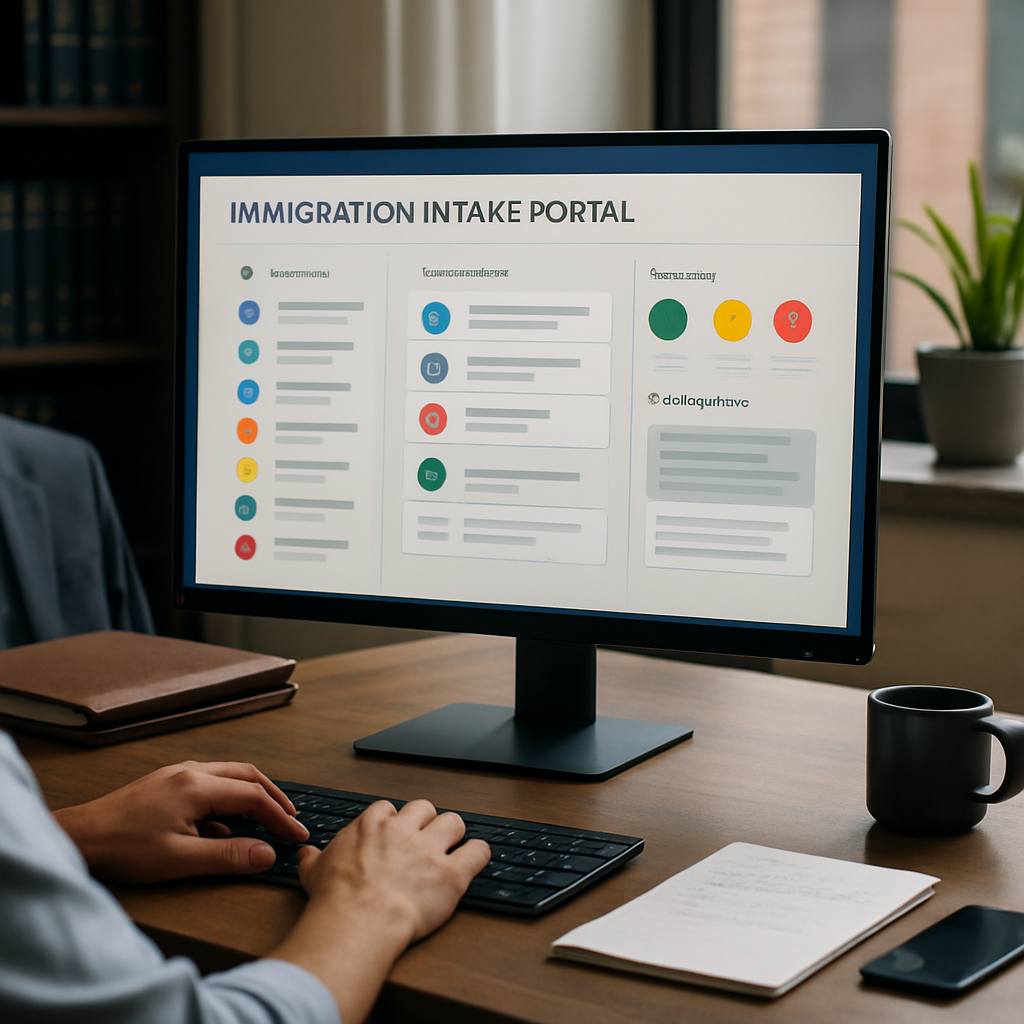
Efficient, accurate client intake is foundational for immigration practices that want to scale case volume without proportionally growing staff. This guide delivers 12 ready-to-use client intake form templates for immigration law firms plus practical best practices tailored to immigration matters. Each template is paired with implementation notes that align with LegistAI’s AI-native workflow automation, document automation, and secure client portal capabilities.
Below you’ll find itemized templates for common immigration case types, pros and cons, recommended validation rules, and a 10-step onboarding checklist you can deploy immediately in your case management and client portal. Use these templates to reduce data entry errors, accelerate petition drafting with AI-assisted drafting support, and maintain audit-ready compliance via role-based access and activity logs.
More in Intake Automation
Browse the Intake Automation1. General New-Client Intake Template (Universal)
Purpose: This universal new-client intake is designed to capture baseline information for any immigration matter. Use it as the initial intake to route clients into specialized workflows (family, employment, asylum, etc.). The form collects contact data, preferred language, immigration history, current status, and immediate deadlines or upcoming interviews.
Core fields: Full legal name; aliases; date/place of birth; country of citizenship and nationality; contact info (phone, email, mailing address); emergency contact; preferred language; existing immigration status and document uploads (passport, visa, I-94); prior filings and receipt numbers; conflict check and representation agreement acknowledgment.
Validation and AI trimming: Implement required-field validation for name, DOB, and contact info. Configure file-type and file-size validation for uploads. In LegistAI, enable AI-assisted extraction to auto-populate client profile fields from uploaded passports or prior notices—this reduces manual transcription errors and speeds case creation. Set a workflow trigger to create a matter and assign an intake task to a paralegal for initial review.
Pros: Fast routing, high compatibility with other templates, and ideal for client portals. Cons: Must be paired with document-specific templates for specialized case categories. Practical tip: Offer multi-language labeling (Spanish) for higher completion rates among Spanish-speaking clients.
2. Family-Based Petition Intake Template (I-130, I-485 Pathway)
Purpose: Designed for family-based petitions, this intake template captures beneficiary and petitioner details, relationship evidence, immigration history, and supporting document collection tailored to I-130 and concurrent adjustment paths. It prepares the file for both petition drafting and eligibility assessment.
Core fields: Petitioner and beneficiary biographical data; dates and places of birth; proof of relationship (marriage certificate, birth certificate); prior marriages and divorce decrees; prior removals or inadmissibility grounds; financial sponsor information and Form I-864 related fields; prior entries and lawful status history; beneficiary’s current immigration status and file uploads for proof.
LegistAI implementation: Configure custom client profile fields immigration software to capture sponsor income, household size, and public charge considerations. Use document automation templates to prefill I-130 sections and generate evidence lists. Route conditional tasks—if prior removal flagged, create a compliance review task. AI-assisted legal research can surface relevant policy guidance for complex eligibility issues, helping attorneys prioritize evidence requests.
Pros: Consolidates petitioner-beneficiary data and automates core petition drafts. Cons: Financial sponsor details require secure data handling and additional consent steps. Practical tip: Add conditional checklist items (e.g., evidence for bona fide marriage) that appear dynamically when relationship type is “spouse.”
3. Employment-Based Petition Intake Template (PERM, I-140, I-485)
Purpose: For employers and sponsored beneficiaries, this template collects employer data, job details, beneficiary qualifications, and recruitment evidence required for PERM and successive filings. It’s structured to support multi-step employment immigration workflows and compliance checks.
Core fields: Employer legal name, EIN, and HR contact; job title, SOC code, wages, and location; job duties and minimum requirements; beneficiary qualifications (education, experience, licenses); recruitment steps and evidence upload; timelines for PERM recruitment and deadlines; prior H-status history and visa stamping details.
Automation and AI use: Implement task routing so that when a PERM matter is opened, recruitment checklist tasks are sequentially assigned to HR liaison and attorney reviewers. LegistAI’s document automation can generate standard recruitment notices, draft PERM ETA forms, and prefill employer attestations. Use AI-assisted legal research to flag prevailing wage considerations and relevant policy updates when job criteria are complex.
Pros: Supports multi-role collaboration between employer, HR, and counsel and automates recurring document generation. Cons: Requires client-side coordination (employer HR) and careful validation of wage and SOC codes. Practical tip: Add structured fields for SOC codes with dropdown validation and require supporting evidence uploads for educational credentials to enable faster AI verification.
4. Adjustment of Status (I-485) Intake Template
Purpose: This template targets applicants seeking adjustment of status in the U.S. Collect items necessary for Form I-485, work authorization, and advance parole, along with medical exam and biometrics scheduling details.
Core fields: Current immigration status and admission date; I-94 number and passport details; filing basis (family, employment, asylum, etc.); prior immigration filings and receipt numbers; criminal history and arrests; medical exam provider and date; preferred biometrics appointment windows; dependent information for derivative applicants.
LegistAI implementation details: Use the template to generate a checklist for required supporting documents—biometrics, medical exams, passport photos, and certified translations. Configure rule-based task routing to flag arrests, criminal history, or past removals for attorney review. Employ AI document drafting to assemble the initial I-485 draft with prefilled fields and generate RFE-ready exhibits tailored to likely USCIS evidence requests.
Pros: Centralizes documentation for adjustment cases and streamlines RFEs. Cons: Sensitive fields necessitate strict access control; ensure role-based access control and audit logs are configured. Practical tip: Offer a secure, self-service client updates immigration portal for applicants to upload vaccination records, medical forms, and passport scans directly into the matter.
5. Naturalization / N-400 Intake Template
Purpose: Designed to gather information for Form N-400, this intake focuses on continuous residence, physical presence, residence history, travel, employment history, and moral character evaluation. It prepares a case for eligibility screening and materials required for the naturalization interview.
Core fields: Residence and employment history for required statutory periods; travel dates and durations; tax filing history; marital history and dependents; military service; criminal history and arrests; selective service registration status; evidence of good moral character; language preference for interview and accommodation requests.
Implementation in LegistAI: Use structured date-range fields to compute continuous residence and physical presence using built-in validation rules. Configure a pre-screening rule set to flag gaps that may affect eligibility and route to attorneys for further analysis. Auto-generate a tailored document checklist and an interview preparation packet using document automation. Enable automated client reminders for biometrics and interview dates to reduce no-shows.
Pros: Automates eligibility calculations and interview prep materials. Cons: Requires precise travel history inputs; inaccuracies can affect case outcomes. Practical tip: Encourage clients to upload evidence (tax filings, leases, pay stubs) directly through the portal and enable periodic reminders to update their travel and employment records while the case is open.
6. Asylum Intake Template
Purpose: Asylum intake templates must capture detailed narratives, persecutory incidents, country conditions, and corroborating evidence. This template emphasizes secure narrative collection, trauma-informed language, and strict confidentiality controls.
Core fields: Detailed fear/persecution narrative with incident dates and locations; persecutor identity and motive; membership in protected grounds; prior asylum or immigration filings; credible fear interview notes; country conditions uploads (reports, news); medical and psychological notes; translator details and consent for sensitive evidence sharing.
Security and workflow recommendations: Configure role-based access control so that only authorized attorneys and designated staff can view sensitive narratives and trauma-related documentation. Enable audit logs for all access and downloads. Implement encrypted uploads and storage for sensitive files and offer optional client encryption keys where permitted. Use LegistAI’s secure client portal to collect witness statements and corroborating documents with explicit consent fields.
Pros: Collects thorough narratives and evidence in a trauma-informed, secure manner. Cons: Requires heightened privacy and careful handling of sensitive info. Practical tip: Add a help-text layer in the portal that explains confidentiality limits and how the information will be used to build the asylum application.
7. DACA and Deferred Action Intake Template
Purpose: This template captures eligibility elements for DACA and deferred action processes—education or military service, continuous presence, and criminal history screening. It streamlines renewal tracking and evidence bundling for initial and renewal filings.
Core fields: Continuous presence dates; education or military service documentation; school or work history; dates of arrival; prior adjudications; criminal history and arrests; parental and guardian info where applicable; social media or other supporting evidence details; consent for background checks.
LegistAI best practices: Create renewal workflows that automatically trigger reminders 120 days before DACA expiry and generate a prefilled renewal packet for clients. Use document automation to assemble evidence exhibits and create a consolidated checklist for school records, employment letters, and proof of continuous residence. Implement secure multi-language support for Spanish-speaking clients to improve completion rates.
Pros: Automates renewals and reduces missed deadlines. Cons: Policy changes can alter eligibility quickly; ensure AI-assisted legal research is used to surface policy updates for attorney review. Practical tip: Maintain a versioned template library so renewal templates can be updated centrally as guidance changes, and ensure audit logs capture when templates were amended.
8. Waiver Applications Intake Template (I-601 / I-601A)
Purpose: Waiver intake templates gather hardship analysis, family ties, criminal history, and evidence relevant to extreme hardship waivers. The form should guide clients through structured hardship narratives and evidence uploads to support persuasive applications.
Core fields: Grounds of inadmissibility; qualifying relative information; detailed hardship statements and supporting documents (financial records, medical records, educational impacts); family member bios; ties to the U.S.; immigration history relevant to inadmissibility; prior waivers or denials; counsel’s preliminary risk assessment field.
Implementation with LegistAI: Use document automation to assemble hardship exhibits and draft the waiver narrative based on structured prompts from the intake. Employ AI-assisted legal research to identify precedent or policy considerations applicable to hardship claims and surface sample exhibits. Route the case through an internal approvals workflow requiring senior attorney review and an evidentiary sufficiency check before filing.
Pros: Structures complex evidentiary submissions and centralizes sensitive hardship material. Cons: Constructing persuasive hardship documentation is labor-intensive and often requires corroborating third-party records. Practical tip: Build conditional question branches to capture varying hardship factors (medical, financial, educational) so clients only see relevant sections and completion rates improve.
9. Consular Processing Intake Template
Purpose: For clients proceeding through consular processing abroad, this intake template collects documents and logistical details needed for NVC processing, DS-260 support, and interview preparation. It focuses on visa interview logistics, translations, and document certification needs.
Core fields: Consular post preference, current residence outside the U.S., passport and travel document details, prior visa refusals, police certificates, civil documents requiring apostille or certification, travel itinerary, and contact details for U.S.-based petitioner or representative. Include fields for embassy-specific document requirements.
LegistAI deployment tips: Configure workflows to generate a consular packet checklist with embassy-specific items and an automated reminder schedule for document deadlines and appointment bookings. Use the client portal for secure uploads of police certificates and certified translations, with validation rules to flag non-certified documents. Draft interview prep templates automatically through document automation and produce a Q&A guide tailored to the consulate’s typical interview focus.
Pros: Streamlines cross-border logistics and document management. Cons: Consular requirements vary widely by country and can change; maintain regular updates in your template library. Practical tip: Keep a central repository of embassy-specific notes accessible to the intake team and attach them programmatically to matters based on the selected consular post.
10. H-1B and Temporary Work Visa Intake Template
Purpose: This template captures employer sponsorship details, beneficiary qualifications, timeline constraints (H-1B cap, premium processing), and specialty occupation evidence. It prepares inputs for LCA preparation, H-1B petition drafting, and supporting labor documentation.
Core fields: Employer and job details; SOC code and wage level; beneficiary education and experience with supporting transcripts and evaluations; previous H-status and cap-exempt status; months of requested employment and location-specific pay; client preferences on premium processing; premium processing consent field and fee responsibility.
How to implement in LegistAI: Add structured fields for wage levels with validation checks and set rule-based routing for LCA and PERM steps where applicable. Use document automation to assemble job descriptions and auto-generate a petition packet populated with extracted client data. Configure automated alerts for cap registration windows and premium processing deadlines, and use the portal for beneficiary signature collection and secure document uploads.
Pros: Facilitates employer-employee data capture and petition prep. Cons: Timing sensitivity—cap windows and LCA processing—requires strict deadline management. Practical tip: Create templated email sequences and portal reminders for employer HR to submit recruitment and wage confirmation documents quickly.
11. U-Visa / VAWA and Victim-Based Intake Template
Purpose: Intake for victim-based relief focuses on obtaining a detailed account of qualifying criminal activity, cooperation with law enforcement, and corroborating evidence. The form must be trauma-informed, secure, and provide explicit consent fields for sensitive disclosures.
Core fields: Description of qualifying criminal activity, dates and locations, contact with law enforcement and police report uploads, medical and counseling records, relationship to U.S. citizen/resident where relevant, immigration history, and safety planning details. Include indicators for confidentiality and whether the client consents to sharing information with third parties.
Security and workflow: Implement strict role-based access control for these matters and enable granular audit logs for access events. Use LegistAI’s secure client portal so clients can upload sensitive documents privately. Create automated workflows to request law enforcement certification letters if needed and to route files to pro bono or social service partners while maintaining attorney-client confidentiality standards.
Pros: Centralizes evidence for victim-based claims and supports partner referrals. Cons: High sensitivity—requires careful consent management and restricted access policies. Practical tip: Include in-form guidance on available supports and an option to schedule an intake call directly to reduce client distress during the online completion process.
12. RFE & Evidence Response Intake Template
Purpose: This template is focused on rapid assembly of responses to Requests for Evidence (RFEs) and NOIDs. It standardizes how lawyers collect missing evidence, track deadlines, and create exhibit indexes and draft cover letters to USCIS or the adjudicating body.
Core fields: RFE receipt date and deadline calculator; RFE language and requested items; client-supplied supporting documents; document provenance and authentication details; exhibit labeling convention; attorney notes and draft response fields; courier and filing method selection; and internal approval checkpoints.
LegistAI workflow integration: Configure the intake to auto-create a response timeline that calculates working days to the USCIS deadline and assigns tasks accordingly. Use document automation to generate an exhibit index and draft the response narrative using structured client inputs; the AI-assisted drafting tools can propose standard language for common RFE categories (e.g., insufficient evidence of employment, relationship, or admissibility). Route the response for supervisory review and capture digital signatures before submission.
Pros: Reduces turnaround time on RFEs and enforces consistent exhibit formatting. Cons: Urgent timelines may require prioritization of staffing resources. Practical tip: Maintain a library of RFE templates categorized by issue type and enable quick cloning within LegistAI to accelerate response drafting.
Selection & Ranking Criteria for the Top 12 Templates
Methodology: The selection of these 12 intake templates is grounded in common immigration practice needs and the types of matters where efficient intake and document automation deliver the most operational ROI. Criteria used to prioritize templates include frequency of use across typical caseloads, complexity of evidence collection, potential for automation, and sensitivity of client data. Each template is designed to maximize downstream efficiency through structured fields, conditional logic, and integration with LegistAI’s workflow engine.
Ranking criteria explained: (1) Case volume potential—how many matters of this type a small-to-mid sized practice typically handles; (2) Evidence complexity—number and variety of supporting documents required; (3) Automation fit—degree to which the form supports automatic drafting, checklists, and deadline management; (4) Security needs—sensitivity of client data and required controls; (5) Client portal suitability—likelihood the client or third parties will use the portal for uploads. Use these criteria to adapt the templates to your firm’s practice mix and to prioritize automation investments in LegistAI.
Comparison table: The table below highlights a compact view of representative templates, recommended validation, automation opportunities, and AI drafting applicability. Use it as a quick selection aid when choosing which templates to implement first.
| Template | Key Validation | Typical Automation | AI Drafting Use |
|---|---|---|---|
| New-Client Intake | Required identity & contact fields | Matter creation, conflict check | Prefill profiles |
| Family-Based | Relationship docs, sponsor income | Evidence checklist, I-130 drafts | Bona fide relationship narratives |
| Employment-Based | SOC & wage validation | LCA steps, recruitment workflows | Job descriptions & PERM language |
| Asylum | Secure narrative capture | Secure evidence collection | Narrative structuring & exhibit assembly |
| RFE Response | Deadline & receipt mapping | Deadline-based task routing | Response drafts & exhibit indexes |
How to apply: Start with templates that score highest in automation fit and evidence complexity (e.g., RFE, family-based, employment-based) to realize quick time savings. Templates that require heavier security and consent (e.g., asylum, U-visa) should be implemented with role-based access control and audit logs turned on from day one.
10-Step Onboarding Checklist for Immigration Cases
Purpose: A consistent onboarding process reduces missed deadlines and increases predictability for attorneys and clients. Below is a practical 10-step onboarding checklist you can implement directly in LegistAI workflows. Each step is written to be actionable and assignable to a specific role.
- Open matter and perform conflict check: Immediately after intake submission, run conflicts and capture authorization for representation.
- Create client profile and verify identity: Validate passport or government ID uploads and confirm preferred language and contact methods.
- Assign the matter owner and core team: Route the case to the responsible attorney, paralegal, and designated operations lead for intake processing.
- Generate initial checklist and document request list: Auto-issue a tailored evidence list to the client via the portal and set upload deadlines.
- Prefill petition forms using document automation: Use structured intake data to generate first-draft petitions and internal memos.
- Schedule biometric/interview dates and reminders: Enter or configure calendar events for biometrics, interviews, and anticipated deadlines; enable automated reminders.
- Perform targeted legal research: Run AI-assisted research for case-specific policy or precedent that could affect strategy.
- Conduct internal compliance review: Check for sensitive issues (criminal history, past removals) and escalate as needed.
- Obtain client approvals and signatures: Collect digital signatures on retainer agreements and filing authorizations via the portal.
- Finalize filing package and capture audit trail: Assemble exhibits, finalize draft, route for supervisory approval, and record audit logs for all submissions.
Implementation notes: In LegistAI, each checklist item becomes an automated task with due dates, conditional branching, and approval gates. For example, if a client uploads a police certificate or arrest record, the compliance review step can be automatically flagged and reassigned to a senior attorney. This ordered checklist reduces handoffs and keeps the case moving toward filing readiness.
Implementation Tips for Portals and Data Validation
Optimizing your intake forms requires attention to client experience, data hygiene, and secure handling of sensitive data. Start by enabling a self-service client updates immigration portal that supports multi-language instructions (notably Spanish) and mobile form completion. Short, conditional forms reduce abandonment—use branching logic to hide irrelevant sections based on prior answers. For example, only show sponsor financial fields when a family-based petition indicates a U.S. sponsor.
Custom client profile fields immigration software: Design structured fields for dates, passport numbers, and SOC codes rather than free-text entries to enable downstream automation and accurate AI extraction. Dropdowns, date pickers, and masked fields (e.g., passport number) improve validation and enable automated deadline calculations. Implement frontend validation for required formats and server-side checks for consistency (e.g., DOB not in the future).
Data validation strategies: Use a layered approach—client-side validation for immediate feedback, server-side validation for authoritative checks, and document upload validation (file type, size, OCR extraction results). Where OCR or AI extraction is used to prefill fields, require client confirmation to avoid propagation of errors. Leverage LegistAI’s audit logs to capture who changed what and when, ensuring an evidentiary trail for compliance.
Security controls and compliance: Enforce role-based access control and least-privilege permissions so that only authorized staff can access sensitive intake fields. Enable encryption in transit and encryption at rest to protect uploaded documents. Audit logs should be configured to monitor access to high-sensitivity matters like asylum or U-visa cases. Finally, provide clear consent and privacy language during intake so clients understand how their data will be used and stored.
Conclusion
Deploying structured client intake form templates for immigration law firms transforms initial client interactions into repeatable, auditable workflows that reduce errors, speed drafting, and preserve attorney time for strategic legal work. The 12 templates above—paired with the 10-step onboarding checklist and the implementation tips—offer a practical blueprint to start automating intake, document assembly, and deadline management using LegistAI.
Ready to implement secure intake and faster case throughput? Schedule a demo with LegistAI to see how these templates map into automated workflows, AI-assisted drafting, and client portals that support self-service updates. Download the template package, customize fields to your practice, and deploy them in a few configuration steps to begin realizing ROI and improved compliance controls.
Frequently Asked Questions
Can I customize these intake templates to match my firm’s existing forms?
Yes. The templates are meant as starting points and should be customized to reflect your firm’s processes, language preferences, and state-specific documentary requirements. In LegistAI, templates can be edited to add custom client profile fields, conditional logic, and firm-specific checklists while preserving audit history.
How do these templates improve accuracy and reduce errors?
Structured fields, dropdowns, and validation rules reduce manual entry errors and missing data. LegistAI can extract data from uploaded documents to prefill fields, while server-side validations and approval gates ensure attorneys review critical items. Combined, these controls reduce transcription errors and improve the consistency of petition drafts.
Are sensitive client uploads protected when using these intake forms?
Yes. Best practices include enabling encryption in transit and at rest, role-based access control, and audit logs to monitor who accessed or downloaded sensitive files. Use LegistAI’s secure client portal for confidential uploads and configure permissions to limit access to authorized personnel only.
How quickly can my team onboard these templates and start using them?
Onboarding time varies by firm size and process complexity, but many firms can implement and pilot a small set of templates (e.g., new-client intake, RFE response, and family-based intake) within a few weeks. Start small, refine conditional logic, and expand templates iteratively while using LegistAI's workflow automation to capture learning and adjust templates.
Can the intake forms handle multi-language clients and non-English documents?
Yes. Provide multi-language labels and client-facing instructions—Spanish is commonly prioritized—to improve completion rates. For non-English documents, require certified translations and implement upload fields specifically for translated exhibits. LegistAI supports multi-language client portals and can be configured to request translations explicitly in workflows.
How do I handle automation for urgent RFEs and short deadlines?
Create a dedicated RFE intake template that triggers a deadline-calculation workflow, assigns priority tasks, and auto-generates an exhibit index and draft response. Use task escalation rules to notify senior attorneys and enable expedited approvals. This structured approach reduces time spent assembling responses and ensures compliance with tight filing windows.
Want to Implement This Workflow With LegistAI?
Schedule a short walkthrough tailored to your case types, intake, document collection, and deadline management.
Continue Reading
- Immigration intake custom fields: best practices to reduce re-entry and speed onboarding
- Secure Client Intake Form Templates for Immigration Law: Downloadable Examples
- How to set up intake workflows for immigration cases: onboarding, automation, and templates
- Immigration Intake Checklist for Automated Client Onboarding
- Step-by-Step Immigration Client Onboarding Checklist for Small Firms