FOIA Request Workflow for USCIS Step by Step: From Intake to Delivery
Updated: February 20, 2026
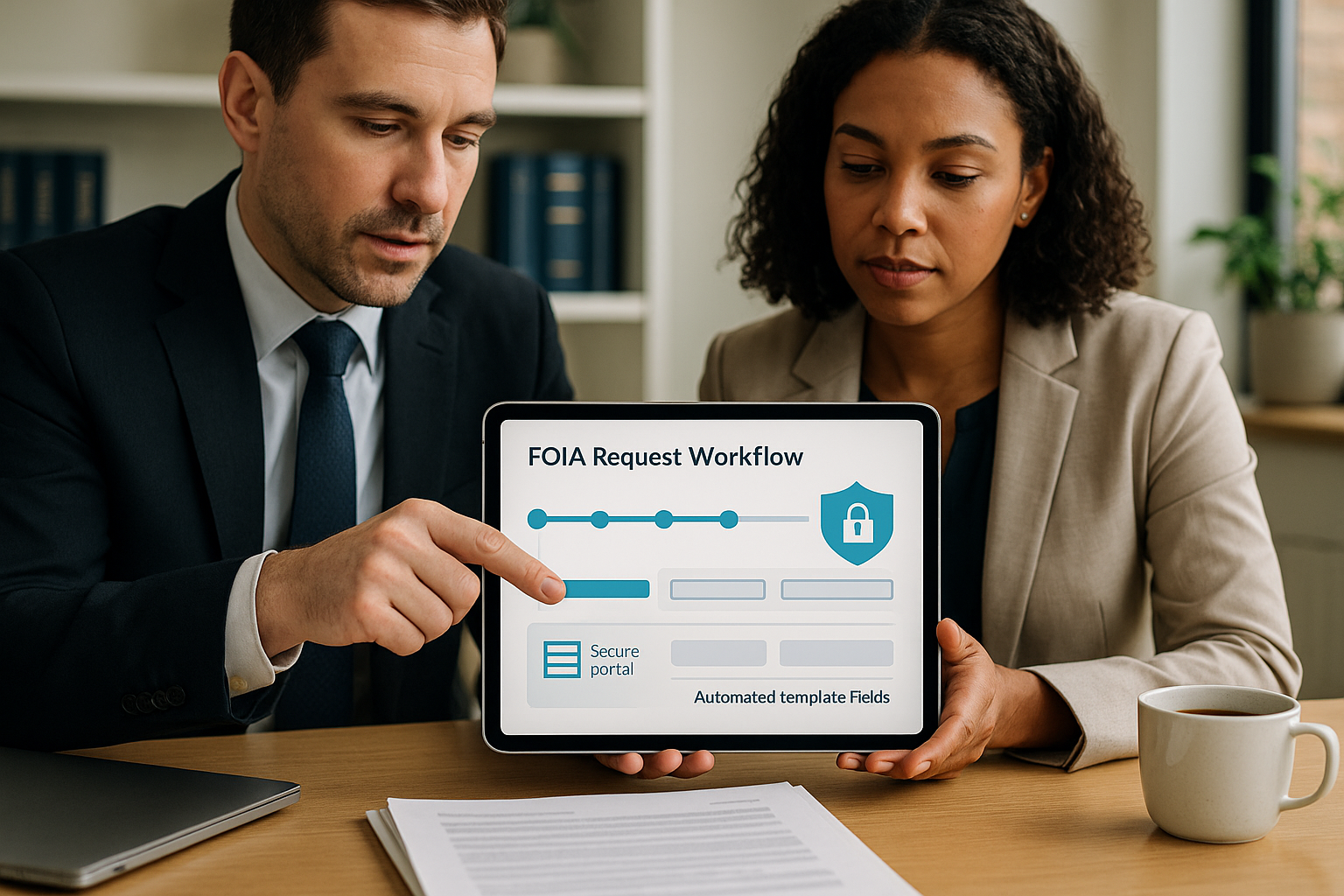
This extended guide maps a repeatable, audit-ready FOIA request workflow for USCIS step by step, tailored for immigration law firms and corporate immigration teams. It describes concrete operational patterns and provides multiple practical artifacts: field mappings, intake and signature controls, auto-populated FOIA templates, milestone-driven approvals, USCIS submission options, receipt processing, redaction and indexing standards, and metrics for measuring impact. The content focuses on the intersection of legal practice and technology: how immigration case management systems with FOIA integration can reduce cycle time, decrease errors, and create defensible audit trails while preserving attorney oversight.
We emphasize actionable detail: example merge-field mappings, sample fee waiver language, SLA templates, automation rules and escalation flows, redaction standard operating procedures, metadata indexing schemas, and guidance for piloting and scaling. This guide is intentionally operational: it highlights roles, security controls, decision points, and the exact milestones managers should track to reduce turnaround time and compliance risk. If you are evaluating LegistAI or a similar solution, these patterns will help you scope a pilot and measure ROI.
Mini table of contents:
- 1. Overview and expected outcomes
- 2. Secure intake and client authorization
- 3. Auto-populated FOIA templates and drafting best practices
- 4. Workflow milestones, routing, and USCIS tracking
- 5. Document automation, AI-assisted research, and integration with case management
- 6. Security, auditability, and firm-level implementation checklist
- 7. Conclusion and next steps
Use this guide as an operational playbook to design, test, and roll out a foia request workflow for uscis step by step. Each subsequent section expands on one part of the process with concrete examples and sample artifacts ready to adapt to your firm s SOPs.
More in Intake Automation
Browse the Intake Automation1. Overview: Goals and outcomes for an efficient FOIA workflow
This section sets measurable goals and expected outcomes for a FOIA process you can operate consistently across matters. The primary objectives are accuracy, repeatability, defensible audit trails, reduced manual labor, and faster client service. When we say a foia request workflow for uscis step by step, we mean a deterministic path where every request moves through the same states with clear ownership and measurable SLAs.
Operational goals and sample KPIs to track:
- Cycle time metrics: Median days from client authorization to submission; median days from submission to first USCIS acknowledgement; median days from submission to delivery of substantive records. Track both median and 90th percentile values to detect outliers.
- SLA compliance: Percentage of tasks completed within configured SLAs (for intake verification, attorney review, and final delivery). Example target: 95% of drafts approved within 48 hours.
- Throughput per FTE: Requests completed per paralegal or case manager per month. Use this to model staffing needs for projected volumes.
- Quality and error reduction: Rate of rework due to missing authorizations, incorrect A-numbers, improper signatures, or inconsistent scope language. Target: reduce rework by X percent after automation.
- Audit completeness: Percentage of matters with a complete audit trail (intake record, signed authorization, submission metadata, received response stored, redactions logged).
Expected outcomes after implementing automation and SOPs:
- Faster intake-to-submission times through form validation and e-signatures, reducing the need to follow up with clients for missing data.
- Consistent, attorney-reviewed FOIA requests that reduce back-and-forth with agency processors.
- Better visibility for leadership through milestone dashboards and exception reporting to manage bottlenecks.
- Lower risk and defensible practices: encrypted storage, role-based access, and immutable logs reduce exposure and support audits or litigation needs.
Practical planning note: start with a focused pilot. Select a segment of matters with similar record types (for example naturalization case FOIAs or prior removal proceedings) and instrument the entire flow for that pilot. Measure baseline metrics for 30 days, implement automation for the pilot cohort, and run a controlled comparison for 60 to 90 days. Use the pilot to refine templates, SLAs, and the reviewer checklist before broad roll-out.
Example pilot success criteria (sample):
- Reduce average intake-to-submission time from 10 business days to 3 business days for pilot matters.
- Achieve 90% attorney approval within the target SLA for auto-populated drafts.
- Eliminate missing-authorization rework on 95% of pilot requests via portal-based signatures.
These measures translate into client satisfaction gains and measurable labor savings. Structuring the project around these outcomes ensures the effort stays operational and measurable, not theoretical.
2. Secure intake and client authorization: First critical step
Secure, structured intake is the foundation of any reliable FOIA workflow. Missing or inconsistent intake data is the single largest root cause of rework. Use a secure client portal that enforces required fields, validates identifiers, captures signed authorizations, and stores PII securely. The objective is to collect the minimum viable dataset reliably and create a canonical matter record that drives automated templates and downstream tasks.
Minimum viable intake dataset (with recommended field names and validation):
- subject_full_name: full legal name as appears on government records (required)
- subject_aliases: other names used (optional but searchable)
- date_of_birth: MM/DD/YYYY (validate format and reasonable range)
- place_of_birth: city, state, country
- a_number: validate pattern A followed by 8 or 9 digits; flag anomalies for manual review
- receipt_numbers: array of USCIS receipt numbers; validate common formats and length
- last_known_address: street, city, state, postal code
- preferred_contact: email and phone with verification
- scope_of_request: free-text with configurable tags (example tags: naturalization file, removal proceedings, asylum, VAWA)
- signed_authorization: e-signed document stored as PDF with a timestamp and signer identity
Key operational practices to reduce rework and improve security:
- Use a client portal with role-based access: Ensure only authorized staff and the client can access intake artifacts. The portal should support multi-factor authentication for staff and provide a secure link for client uploads.
- Auto-validate identifiers: Implement front-end validation for A-number and receipt number formats. For example, require an A followed by 8 or 9 digits for A-numbers and apply pattern checks for receipt numbers to catch transposition errors.
- Require a scoped authorization: Use template authorizations that reference the FOIA request and the specific subject name and a-number. The authorization should include explicit language permitting release of records to the representative and, if necessary, HIPAA authorizations for medical records.
- Attach proof of identity where required: For certain records, USCIS may require additional identity evidence. Capture government ID scans and cross-check names and DOB against submitted IDs within the portal.
- Immutable timestamping: Ensure the portal records timestamps for uploads and signatures and that these timestamps appear in the matter audit trail.
Sample intake owner task list (detailed):
- Verify that the signed authorization matches the subject name and A-number on the intake form. If mismatched, create a task assigned to intake staff to contact the client with a templated message from the portal.
- Run identifier validation checks. If A-number format validation fails, mark the matter status as "validation needed" and trigger a portal message to the client to confirm the correct number.
- Ensure scope tags are standardized. If the request scope is ambiguous (for example "all records"), require a second-level confirmation from the attorney or a checkbox where the attorney acknowledges the broader scope and potential for larger disclosures.
- Lock intake fields after verification to prevent accidental edits; create a revision history entry if edits are necessary.
Example portal automation rules (practical):
- If signed_authorization is missing, create automated reminder emails at day 1, day 3, and day 7. After day 7, escalate to the intake manager for outreach.
- If a_number pattern fails, auto-create a support ticket for manual review labeled high priority.
- If scope_of_request contains the tag 'medical', require that a HIPAA-compliant authorization is attached before allowing progression to the draft stage.
Mapping intake to templates: define canonical merge fields in your case management system so that intake values are the single source of truth. Example merge-field mapping:
- merge_subject_full_name -> subject_full_name
- merge_a_number -> a_number
- merge_receipt_list -> receipt_numbers
- merge_scope <- scope_of_request
- merge_signed_authorization_ref -> signed_authorization.file_id
These mappings enable auto-population of FOIA templates and prevent manual transcription errors. They also make it straightforward to build reports that slice FOIA requests by tag, origin, or attorney owner.
3. Auto-populated FOIA templates and drafting best practices
Auto-population reduces drafting time and ensures consistency. Maintain a library of pre-approved FOIA templates for common request types and configure merge fields to pull from the canonical matter record. Templates should be reviewed periodically and versioned so you can trace which template was used for any submitted request.
Core template elements and implementation notes:
- Header with sender contact and matter ID: Include the firm s mailing address, a matter or internal tracking ID, and a preferred secure delivery method reference. Example: include a matter reference such as F-FOIA-2026-1234 for internal tracking and cross-linking to other matter artifacts.
- Clear subject identification: Use merge fields for subject_full_name, subject_aliases, date_of_birth, a_number, and receipt_numbers. If the subject has multiple A-numbers, present them in a bulleted list to reduce misinterpretation by agency processors.
- Explicit scope of requested records: Offer a concise scope followed by optional expansions. For example, start with targeted language for case XX between dates YYYY and YYYY; include a second paragraph that expands to all documents related to specific proceedings or adjudicative actions if the client requests a wider search.
- Fee status and waiver: Include merge fields for fee waiver justification or maximum fee authorization. Have a standard fee-waiver justification template to be customized per matter.
- Delivery and format preferences: Specify preferred electronic formats and secure transfer mechanisms. If using a portal, include a secure upload instruction and encryption parameters if email is used.
- Authorization attachment reference: Include a merge field with a link to the signed authorization file and a human-readable note indicating how the authorization was obtained (e.g., portal e-signature with timestamp).
Example FOIA request template adapted for auto-population (template skeleton):
<Date>
U.S. Citizenship and Immigration Services
FOIA/PA Office

Re: FOIA Request for Records of {merge_subject_full_name}
A-Number(s): {merge_a_number}
DOB: {merge_date_of_birth}
Matter ID: {merge_matter_id}

Dear FOIA Officer,

Pursuant to the Freedom of Information Act, 5 U.S.C. 552, we request copies of all records pertaining to the individual identified above. The requested records include, but are not limited to: immigration files, adjudicative notes, correspondence, biometrics, electronic case files, and any records referencing receipt numbers {merge_receipt_list}. The requested date range is {merge_scope_dates} (if provided) or from initiation of the file through the date of this request.

We enclose a signed authorization permitting disclosure to our firm; authorization reference: {merge_signed_authorization_ref}.

Fee waiver: {merge_fee_waiver_text} OR Fee limit: up to ${merge_fee_limit}.

Preferred delivery: please provide records electronically by secure upload to {merge_secure_portal_url} or to {merge_secure_email}.

Sincerely,
{merge_sender_name}
{merge_sender_title}
{merge_firm_name}
{merge_contact_info}
Practical drafting tips and examples:
- Precision reduces volume: If seeking adjudicative notes for a single naturalization application, include the receipt number and a narrow date range. Example scope language: request all documents and adjudicator notes for receipt number XYZ123456789 from application filing through final adjudication date.
- Fee waiver sample language: Use a templated justification that demonstrates public interest or lack of commercial intent. Example: the requester is a current client seeking records to support an immigration benefit and the disclosure is in the public interest because it concerns the government s implementation of immigration laws. Customize to reflect whether the request is for personal records or broader public interest research.
- Specify preferred file types and handling: If your portal accepts encrypted ZIP files, request Adobe PDF/A format for documents and CSV for extracted indices. This reduces conversion work on receipt.
- Version control: When templates are updated, preserve previous versions in the document library and tag each submission with the template version used. This helps investigators reconstruct decisions in audits.
Reviewer and approval gating:
- After auto-population, route drafts for a two-stage review: 1) paralegal sanity check for data fidelity and attachments; 2) attorney approval to confirm scope and fee waiver justification. Use mandatory checkboxes in the review UI to record each reviewer s confirmation.
- Record the approval as an auditable timestamped action; if the reviewer requests changes, attach a comment and preserve prior draft versions for traceability.
Common pitfalls to avoid:
- Sending requests without the signed authorization attached or without reference to how the authorization was obtained.
- Using ambiguous scope language that triggers agency broad searches and long delays; when broad searches are unavoidable, document the client s approval of anticipated volume and potential costs.
- Failing to specify delivery format, creating extra manual processing when records arrive in non-preferred formats.
By combining precise templates, merge-field discipline, and mandatory reviewer gates, you can standardize FOIA request quality and shrink the number of rounds needed to get a complete agency response.
4. Workflow milestones, routing, and USCIS tracking
Turning a FOIA request into a set of milestones and rules converts ad-hoc status updates into actionable operational data. Milestones create visibility for managers and allow you to implement automated reminders, escalations, and SLA reporting. They also make it possible to prioritize urgent matters and balance workloads across teams.
Sample milestone sequence with responsibilities and recommended SLAs:
- Intake verified and authorization received
- Responsible: Intake paralegal or intake specialist
- SLA: verify or escalate within 48 hours of intake submission
- FOIA draft auto-populated and assigned for internal review
- Responsible: Drafting paralegal
- SLA: 24 hours to confirm merge data and attachments
- Attorney approval completed
- Responsible: Designated FOIA attorney
- SLA: 48 hours with reminders at 24 and 48 hours
- Request submitted to USCIS with submission metadata recorded
- Responsible: Submitting staff member
- SLA: submit within 2 business days of approval
- USCIS acknowledgement received (if provided) and logged
- Responsible: Assigned paralegal for tracking
- SLA: log acknowledgement within 3 business days of receipt
- USCIS substantive response received and uploaded to matter
- Responsible: Receipt handler/records analyst
- SLA: upload and index within 2 business days of receipt
- Internal review, redaction, and client delivery
- Responsible: Senior paralegal with attorney sign-off for redactions
- SLA: redaction and delivery completed within agreed timeframe based on volume (example: 5 business days for files under 200 pages)
- Matter closure and archival
- Responsible: Case manager
- SLA: close and preserve audit artifacts within 7 days after delivery
Automated reminders and escalations (implementation examples):
- Immediate confirmation: upon submission, send an automated message to submitter, responsible attorney, and practice manager with submission metadata and a link to the matter.
- 30-day follow-up: schedule a check to look for agency acknowledgements or status updates; if none, create a task to check FOIA portals or agency contact points.
- Escalation at SLA breach: if attorney approval exceeds SLA, email the practice lead and add the matter to a queued review list for triage.
- Large disclosure alert: if the file size or page count of a received disclosure exceeds a configured threshold (for example, 500 pages), automatically tag it for expedited review and notify the redaction team.
USCIS submission channels and mapping to system records:
USCIS accepts FOIA/PA requests through multiple channels such as an online submission portal, agency-specific FOIA intake forms, or traditional mail. Your case management system should record the chosen submission channel and store any confirmation numbers, tracking IDs, or mailing receipts as part of the matter evidence. Key metadata fields to capture on submission: submitter_user_id, submission_timestamp, submission_channel, agency_acknowledgement_number, mailed_receipt_image_id.
Handling fragmented responses and partial productions:
- Tag each incoming package with a production_id and maintain a sequence number when multiple packages are received across time.
- Link each production to the original request and record whether the production is complete, partial, or contains withheld material requiring an appeal.
- Keep raw original files and a processed/redacted copy. Logging both preserves evidence of what was received and demonstrates the provenance of the redacted deliverable.
Reporting and dashboards to run weekly/monthly:
- Requests opened, by intake source and responsible team.
- Average and median cycle times by milestone and by practice group.
- SLA compliance rates for intake verification, attorney review, and receipt processing.
- Volume distribution: number of small, medium, and large productions and average redaction time per page.
Use these dashboards to identify bottlenecks in the flow. For example, if attorney approval is consistently the slowest step, investigate whether the reviewers need narrower drafts, better fee waiver language templates, or reallocation of approvals within a RACI matrix.
5. Document automation, AI-assisted research, and integration with case management
Document automation and AI-assisted tools accelerate both outbound FOIA preparation and inbound records processing. When agencies return large document sets, the operational burden shifts to indexing, search, redaction, analysis, and delivery. AI and automation help reduce time to insight and minimize attorney review time while preserving a final attorney approval gate.
Practical AI-assisted and automation features with examples:
- Metadata extraction and indexing: Automatically extract named entities such as A-numbers, receipt numbers, dates, names, and case identifiers from PDFs and scanned images. Build an indexing schema such as: document_id, production_id, page_count, date_detected, extracted_a_numbers[], extracted_receipt_numbers[], primary_subject_name, document_type_tag. The extracted data powers full-text search and faceted filtering for rapid triage.
- Smart summarization and prioritization: Use AI to auto-generate an executive summary for large productions. Example output: "Production contains 1,238 pages. Key items include N-400 adjudication notes dated MM/DD/YYYY, fingerprint records, and a Notice to Appear included as attachment 14. Relevant receipt numbers: XYZ." These summaries let attorneys decide where to focus review quickly.
- Auto-tagging and relevance scoring: Apply relevance scores for keywords and tags such as adjudication, biometrics, removal proceedings, or denial. Use scores to surface high-priority documents first.
- Redaction assistance: Implement redaction tools that can detect personal identifiers like SSNs, passport numbers, and sensitive health data. The tool should propose redactions and create a redaction log that records the redaction reason, the exemption code or policy, who approved it, and a before-after sample for audit purposes.
- Draft generation and fee waiver support: Use AI-assisted drafting to suggest concise scope language, fee waiver rationales, or clarification queries; always require attorney review and sign-off before submission.
End-to-end example: processing a 600-page USCIS production
- Receipt handler uploads raw production PDF into the matter repository. System creates production_id and page-level images.
- Automation pipeline runs OCR and metadata extraction. Extracted A-numbers and dates are linked to the subject and to other matters that reference the same identifiers, enabling cross-matter analytics.
- AI summarization generates a 2-page executive brief highlighting key documents, dates, and anomalies, and proposes tags.
- Redaction module scans for high-risk PII and flags probable SSNs, financial account numbers, and protected health information. Paralegal reviews suggested redactions, confirms or modifies them, and requests attorney sign-off for final approval.
- Final redacted package and the redaction log are stored together and delivered to the client through the secure portal. The raw unredacted file is retained in encrypted vault accessibly only to staff with explicit permission and recorded in the audit log.
Integration checklist for technical evaluation:
- Confirm canonical field model alignment: intake fields, merge fields, and extracted metadata should share a single schema to avoid mapping drift.
- Test AI accuracy on real examples: evaluate summarization and extraction accuracy on a representative 50-200 page sample; measure time to summary and error rate; calibrate confidence thresholds for auto-tagging.
- Verify redaction chaining: ensure proposed redactions can be approved at scale, and that the system produces a detailed redaction log for each page and redaction instance.
- Ensure exportability: the system must export original files, redacted versions, and audit logs as a bundled package for discovery or litigation, preserving original timestamps and production identifiers.
Operational guidance and risk controls:
- Treat AI outputs as drafting assistance. Configure mandatory review steps for any item where confidence is below a set threshold or where the content triggers high-risk tags like financial or immigration enforcement records.
- Maintain conservative redaction policies when in doubt. If uncertain whether a field is a social security number, tag for manual review rather than auto-redact without attorney sign-off.
- Keep robust audit logs that show each AI action, who reviewed it, and the final decision, including timestamps and reviewer comments.
Finally, use automation to stitch FOIA activities into broader case workflows. For example, if records returned contain evidence requiring filing of a motion or an application amendment, create automatic matter tasks to route those findings to the case attorney with a summary and links to the relevant pages.
6. Security, auditability, and firm-level implementation checklist
Security and auditability are mandatory when handling FOIA requests and USCIS records that include personally identifiable information. When deploying a workflow for FOIA requests, require technical and organizational controls that demonstrate defensible handling of PII and provide complete forensic trails of user actions and system-generated events.
Technical controls to demand and validate:
- Role-based access control (RBAC): Ensure the platform supports granular permissions at the matter, folder, and document level. Example roles: intake_specialist, paralegal, redaction_reviewer, attorney_approver, records_admin. Permissions should be configurable and audited.
- Comprehensive audit logs: The system must log who created, viewed, edited, redacted, exported, or deleted a document, including timestamps and IP or session identifiers. Logs should be immutable and exportable for audits.
- Encryption: Enforce TLS for data in transit and AES-256 or equivalent for data at rest. Confirm key management and rotation policies and whether the vendor provides customer-managed keys if required.
- Data residency and retention controls: Confirm retention schedules, archiving processes, and secure deletion options. The system should allow you to implement firm and regulatory retention schedules per matter or document type.
- Access attestations and periodic review: Implement quarterly access reviews to ensure least privilege is enforced and to remove users who no longer require access.
Firm-level rollout checklist with phased actions (detailed):
- Define FOIA matter types and canonical intake fields. Lock mandatory fields and provide dropdown tags to standardize scope entries. Document the field definitions in a master data dictionary.
- Create or import pre-approved FOIA templates and fee-waiver justifications into a centrally managed document library. Version and label templates with effective dates and responsible approvers.
- Configure RBAC roles and test access restrictions with negative testing to ensure unauthorized accounts cannot view restricted matter artifacts.
- Set milestone SLAs and notification rules in the workflow module: intake verification, draft review, attorney approval, submission confirmation, and receipt handling. Create escalations for SLA breaches and define the escalation hierarchy in a RACI chart.
- Train intake staff on portal use, identity evidence capture, and e-signature procedures. Use simulated intakes in the system to practice end-to-end flows and to create a frequently asked questions doc for clients.
- Designate a redaction team and create redaction rules and exemption codes. Provide detailed guidance on what types of PII must be redacted and require attorney sign-off for exemptions and borderline cases.
- Validate audit logs by running a sample request end-to-end and exporting the log; ensure entries include timestamps, user IDs, actions taken, and file references. Retain logs in a secure, tamper-evident store.
- Establish a retention schedule for FOIA matter records aligned with firm and regulatory retention policies and implement automated archival and deletion processes.
- Run a simulated incident response tabletop that covers potential data leak scenarios, misdirected deliveries, or unauthorized exports to test controls and update the incident response plan accordingly.
- Schedule a 30/60/90-day operational review to measure cycle times, SLA compliance, and redaction accuracy. Adjust templates, SLAs, or resourcing based on empirical results.
Sample SOP excerpt for approvals and audit evidence (expanded):
Approval step: Attorney Review
- Trigger: FOIA draft auto-populated and assigned to the designated FOIA attorney
- Responsible: Designated FOIA Attorney
- SLA: 48 hours from assignment
- Required actions:
  1) Verify the subject identity and match to the signed authorization.
  2) Confirm scope precisely matches client instructions and note any intentional broad search approvals.
  3) Validate fee waiver language or fee limit and confirm client consent for potential fees.
  4) Approve for submission or return with inline comments for revision.
- Audit evidence required: approval checkbox, signer name, timestamp, template version used, link to the signed authorization, and any comments captured in the matter log.
Redaction SOP highlights:
- Maintain a redaction decision matrix that enumerates categories of PII, redaction justification codes, and required approver levels (for example, social security numbers always auto-flagged and redacted by paralegal with attorney review; medical records require attorney plus client consent verification).
- Keep both the raw file and the redacted version in the repository. The raw file is accessible only to authorized personnel and is recorded in the audit log upon access.
- Produce a redaction log for each delivered package that lists redacted items by page, the redaction reason code, who approved it, and the timestamp.
Change management and training plan:
- Kickoff and stakeholder alignment: identify owners, build the RACI, and document expected outcomes.
- Pilot phase: select a small cross-section of matters, implement automation, and measure impact over 60 days.
- Wider rollout: train all intake, processing, and attorney staff using recorded walkthroughs, quick reference guides, and live Q A sessions.
- Continuous improvement: run monthly metrics review meetings to optimize templates, SLAs, and resourcing.
Adopting these controls makes your foia request workflow for uscis step by step defensible, auditable, and scalable while protecting client privacy and reducing compliance risk.
Conclusion
Operationalizing a foia request workflow for uscis step by step reduces friction, creates defensible audit trails, and frees attorneys to focus on legal strategy rather than document logistics. Combining secure intake, auto-populated templates, milestone-driven workflows, AI-assisted summarization and redaction, and rigorous security controls enables firms to scale FOIA operations while maintaining attorney oversight and client confidentiality.
Next steps to implement this model at your firm:
- Map your current FOIA handling process and capture baseline metrics for cycle times, error rates, and workload per staff member.
- Define a narrow pilot scope and instrument the flow with the milestone and SLA model provided in this guide.
- Choose an implementation partner or software that supports merge-field driven templates, RBAC, audit logging, automated reminders, and AI-assisted processing; require demonstration on representative sample files.
- Run a 60 to 90 day pilot, measure outcomes, refine templates and SLAs, and then scale with training and change management support.
If your team is ready to standardize FOIA handling and see measurable reductions in cycle time and errors, schedule a demonstration of LegistAI s FOIA workflow capabilities. A demo typically includes: a review of your current process, mapping of required templates and SLAs, a security and integration walkthrough, and a suggested phased deployment plan tailored to your practice s volume and risk profile.
See also: Best Immigration Software for Law Firms: Complete Comparison Guide 2026 How to Grow an Immigration Law Firm with AI Tools and Automation in 2026
Frequently Asked Questions
What data should I collect at intake to prepare a FOIA request for USCIS?
Collect a canonical minimum dataset: full legal name as used on government records, date and place of birth, USCIS A-number(s) and receipt number(s), last known address, and a signed authorization that explicitly permits release of records to your firm. Capture identity documents (government ID) and any additional evidence required by USCIS for identity verification. Use a secure client portal to capture files and signatures to ensure timestamps and file provenance are auditable. Standardize field names and validation rules so these intake values can auto-populate FOIA templates and reduce manual rekeying errors.
Can FOIA requests to USCIS be submitted electronically through case management software?
Case management software can be used to draft, attach authorizations, and record submission metadata for FOIA requests. Many platforms support auto-populated templates, submission tracking, and archiving of agency responses. Submission to USCIS may be completed through the agency s accepted channels (online FOIA form, FOIA portal where applicable, or mail). The case system s role is to prepare an accurate, auditable request package and record the submission details, confirmation numbers, and any mailed receipts as part of the matter so that the submission is traceable for audits or future appeals.
What are best practices for requesting electronic delivery of USCIS records?
Specify preferred electronic format and delivery instructions in the FOIA request. If you operate a secure client portal or secure mailbox, provide the upload URL and any encryption details in the request. Request PDF/A for documents and CSV for extracted metadata when possible. Record the delivery method, timestamp, file hash, and any attached agency metadata in the matter record. Keep both the original unredacted file in a secure vault and a redacted copy for client delivery, and record the redaction log with reason codes and approver names. This approach minimizes manual processing steps and preserves an auditable trail.
How do I handle large USCIS disclosures that require redaction or urgent review?
Configure your workflow to flag large-volume disclosures by page count or file size and route them to an expedited review queue. Use automated indexing and AI-assisted summarization to surface priority documents and relevant dates. Implement a redaction team with defined exemption codes and require attorney sign-off for final redactions. Preserve the raw file under restricted access while delivering the redacted copy to the client. Maintain a redaction log that identifies the page, redaction reason, approver, and timestamp so you can explain redaction decisions during audits or litigation.
What security controls are essential when using software to manage FOIA requests?
Essential controls include role-based access control to enforce least privilege, comprehensive and immutable audit logs to capture access and changes, encryption for data in transit and at rest, secure e-signature capture for authorizations, and configurable retention and secure deletion policies. Validate these features during procurement and test them with end-to-end sample workflows. Additionally, enforce regular access reviews and maintain incident response procedures tailored to PII exposure scenarios.
How should firms measure ROI after implementing FOIA workflow automation?
Measure ROI by comparing key metrics before and after automation: intake-to-submission cycle time reductions, submission-to-response time where trackable, attorney review time per request, throughput per paralegal or team, and reduction in rework due to missing or incorrect authorizations. Also quantify time saved through AI-assisted summarization and indexing, and consider qualitative benefits such as improved client responsiveness and reduced risk exposure. Combine time savings with average billing rates or avoided overtime costs to calculate a dollar-value ROI over a defined period such as 12 months.
Want to Implement This Workflow With LegistAI?
Schedule a short walkthrough tailored to your case types, intake, document collection, and deadline management.
Continue Reading
- Step-by-Step Immigration Client Onboarding Checklist for Small Firms
- Best Way to Submit FOIA Requests to USCIS for Attorneys: Complete Workflow and Templates
- How to automate FOIA request to USCIS for immigration cases: complete guide
- Reduce missed USCIS deadlines with case management software: compare features and ROI
- Immigration contract review automation for law firms: a step-by-step how-to
- Best Immigration Software for Law Firms: Complete Comparison Guide 2026
- How to Grow an Immigration Law Firm with AI Tools and Automation in 2026