Immigration Client Portal with Document and Invoice Tracking — secure self-service for clients
Updated: March 15, 2026
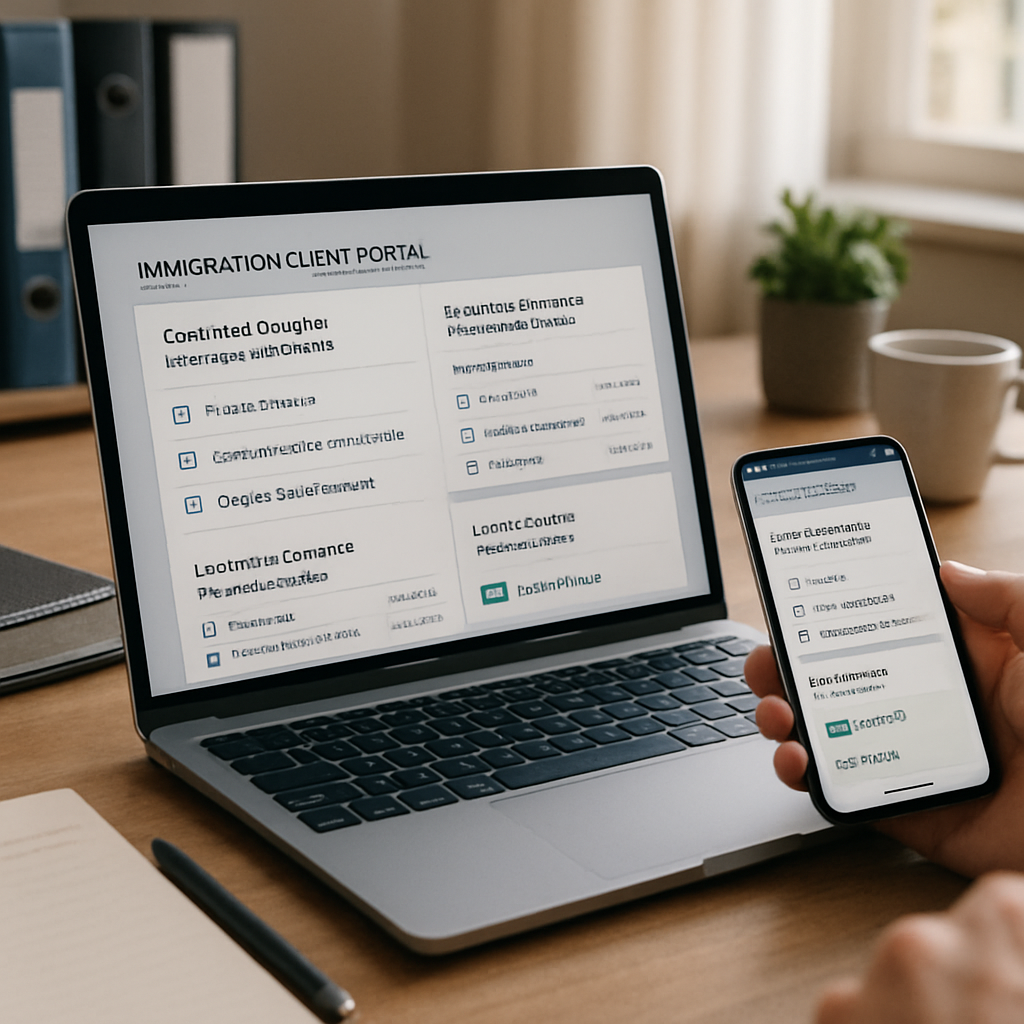
Law firms and in-house immigration teams need a client-facing experience that reduces repetitive phone calls, speeds onboarding, and provides auditable status and billing visibility. This guide explains how an immigration client portal with document and invoice tracking streamlines communications, preserves attorney oversight, and integrates into existing case workflows. We focus on practical implementation and return-on-investment considerations for managing partners, immigration attorneys, and practice managers evaluating LegistAI as an AI-native solution.
What this guide covers: a brief table of contents followed by detailed, step-by-step coverage of portal UX, security controls and audit trails, sample client journeys, integration and onboarding tips (including e-sign and billing), and KPIs to measure reduced calls and faster client intake. Expect practical examples, a deployment checklist, a comparison table, and a sample webhook/payload snippet to support technical evaluation.
More in Client Portals
Browse the Client PortalsWhy an immigration client portal with document and invoice tracking matters
Managing client communications is one of the largest operational drains for immigration teams. Phone calls and manual email exchanges about documents, fees, or case status consume attorney time and create risk when information is not centralized. An immigration client portal with document and invoice tracking solves both sides of that problem: it provides a secure, auditable channel for clients to upload and review materials and gives your team a single view of outstanding invoices and payments tied to a matter.
From a legal practice perspective, the portal must do more than store files. It must present case-specific checklists, enable gated approvals, support document templates for petitions and RFEs, and include role-based visibility so paralegals and attorneys see appropriate levels of detail. LegistAI’s portal is designed to reduce repetitive outreach while preserving attorney control over critical touch points: approvals, RFE responses, and fee authorizations.
Benefits firms and corporate teams consistently prioritize include: fewer inbound calls, improved client satisfaction, faster evidence collection, and clearer auditability for compliance. When evaluating solutions, prioritize portals that integrate document tracking with invoice visibility so clients can see what is required to move a filing forward and which invoices block progress. That alignment drives faster payment cycles and fewer administrative escalations.
Key product-focused considerations when selecting a portal:
- Document lineage: Does the portal capture who uploaded what and when, and does it tie files to matter-level records?
- Invoice transparency: Are invoices visible in context of the matter, with statuses like due, partial payment, or disputed?
- Workflow integration: Can client actions trigger internal tasks, approvals, or automated reminders?
- Security and audit: Are uploads encrypted and are audit logs retained for compliance?
Portal UX: self-service client updates immigration portal that reduces friction
A user-centered experience is essential for adoption. The best immigration client portal with document and invoice tracking balances simplicity for clients with control and context for lawyers. For many immigration clients, English may not be the primary language; portals that support Spanish-language UI and clear step-by-step guidance remove friction and reduce abandoned intakes.
Design principles to demand:
- Clear matter-level view: The client should land on a dashboard showing active matters, upcoming deadlines, and whether any documents or invoices require action.
- Progress-based checklists: Convert case intake and evidence requests into a checklist that marks steps complete as documents are uploaded or forms are signed.
- Contextual help and templates: Embed examples, required formats, and short explanations so clients upload compliant documents the first time.
- Mobile-first uploads: Ensure clients can take photos, attach files, and e-sign on mobile without switching apps.
Practical UX features in LegistAI:
- Client dashboards that show document status (required, received, validated) and invoice status (unpaid, partial, paid).
- Automated status messages: configurable templates that inform clients about next steps and expected timelines.
- Multi-language prompts for Spanish-speaking clients and simple toggles for language preference.
Example scenario: a family-based petition requires birth certificates, marriage certificate, and translations. The portal presents a single checklist with document icons, sample thumbnails, and validation rules (file types and size). When a client uploads a document, the portal timestamps the upload, stores an MD5-style fingerprint for file integrity, and triggers an internal task to review the file. If an invoice is outstanding for filing fees, the portal will highlight that payment is required before the petition can be filed, linking payment to the matter and automatically reordering priority in the internal workflow.
Best practices
Configure the portal to pre-populate client profile fields where possible to reduce redundancy. Use custom client profile fields immigration software capabilities to capture data points unique to your workflow (for example, preferred contact method, interpreter need, or sponsor relationship). Keep the onboarding flow under five steps: account confirmation, matter selection, document checklist, invoice review, and e-sign where required.
Security controls, audit trails, and compliance for client portals
Security and compliance are non-negotiable for immigration practice technology. Any immigration client portal with document and invoice tracking should support enterprise-grade controls while enabling efficient lawyer review. Key security features to evaluate include role-based access control, encryption in transit and at rest, and comprehensive audit logs that record user actions and file lifecycle events.
Role-based access control (RBAC) lets you assign permissions by role: partner, associate, paralegal, finance, and client. RBAC minimizes exposure by ensuring internal users only access the matters and documents they need. Audit logs should record uploads, downloads, edits, comments, and invoice payments with timestamps and user IDs. These trails are essential for responding to compliance inquiries, internal reviews, or client disputes.
Encryption stops casual interception. Ensure the portal uses TLS for communications and well-managed encryption-at-rest for stored documents and backups. Additionally, LegistAI supports administrative controls to set password policies, session timeouts, and two-factor authentication at a team level. Combined, these measures help mitigate risk and create a defensible posture should data access be questioned.
Operational best practices
Operationalizing security means having policies that match technical controls. Examples include limiting administrative rights, periodically reviewing active client portal accounts, and applying least-privilege access for paralegals. Configure retention and disposition policies for documents that are no longer required, and ensure that data deletion workflows comply with recordkeeping obligations for immigration law matters.
When presenting security to in-house counsel or managing partners, focus on controls that align to your firm’s risk matrix: who can see PII, how long sensitive documents are retained, and what constitutes an auditable approval for filing. LegistAI provides configurable audit export capabilities so compliance teams can extract event logs for periodic review or external audits.
Sample client journeys: how the portal reduces calls and accelerates evidence collection
Concrete examples show how an immigration client portal with document and invoice tracking transforms daily operations. Below are three sample client journeys that illustrate common pain points and how the portal reduces administrative load.
1. New client intake — streamlined onboarding
A prospective client receives an intake link after initial consultation. The portal guides them through identity confirmation, uploads for identification documents, and a digital retainer with e-signature. Custom client profile fields immigration software capabilities let the firm collect practice-specific data (e.g., beneficiary relationships, prior immigration history) in structured form. The portal validates required uploads and places a clearly visible invoice for the initial retainer. Payment clears, the matter auto-activates, and internal tasks are created for document review, reducing manual handoffs.
2. RFE response — targeted collection and approval
When USCIS issues a request for evidence, the portal creates an itemized checklist for the RFE with deadlines, sample attachments, and priority labels. Clients upload documents directly to the RFE item; the system timestamps and records the uploader’s identity. An attorney reviews the submitted evidence, uses built-in AI-assisted drafting support in LegistAI to draft a response memo or cover letter, and triggers a gated approval where a supervising attorney must sign off before filing. This process reduces emails and ensures every RFE response is auditable.
3. Billing and fee transparency — fewer billing questions
Clients can see itemized invoices tied to specific steps or filings. When a filing requires additional fees, the portal shows the pending invoice prominently and links payment to the matter and filing task. Automated reminders communicate overdue invoices and, if configured, prevent certain filing tasks from moving forward until payment is received. This alignment reduces back-and-forth with accounting and shortens time-to-payment.
Measured outcomes from adopting these flows commonly include lower call volumes, faster document turnaround, and clearer financial reconciliation. Use the portal to establish predictable client communications — for example, automated messages when a document is received, when a document fails validation, and when an internal review completes. Each message reduces the need for the client to call, and each automated milestone creates a timestamped audit entry for your records.
Integrations and implementation tips: automating immigration case status updates for clients
Integration capability is critical for realizing the full value of an immigration client portal with document and invoice tracking. Rather than a siloed app, the portal should connect to case management, billing, e-sign, and document repositories so that client-visible status reflects the firm’s internal state. LegistAI is built to automate immigration case status updates for clients by tying portal events to internal workflows and task routing.
Technical integration considerations:
- Case synchronization: Ensure matter records in your case management system map to portal matters by unique identifiers so document uploads and invoice payments reconcile correctly.
- Billing linkage: Connect portal invoice events with your billing system to reflect payments, refunds, or disputes in both systems.
- E-sign and form execution: Use a trusted e-sign workflow for retainer agreements and fee authorizations. The portal should store signed documents in the matter record and log the e-sign event in the audit trail.
- Notifications and webhooks: Real-time webhooks enable the portal to notify internal systems when a client uploads a document or completes payment. This is the mechanism that supports automating immigration case status updates for clients.
Implementation tips
Start with a narrow pilot: choose a single matter type (e.g., family-based petitions) and configure the portal checklist, document validators, and invoices for that workflow. Define the event map before launching: which client actions should trigger internal tasks, status changes, or billing events? Use LegistAI’s configurable automation rules to map uploads to tasks and to automatically send status updates to clients when internal checks are completed.
Sample webhook payload (technical artifact)
{
  "event": "document_uploaded",
  "timestamp": "2026-03-15T14:35:00Z",
  "matter_id": "MAT-12345",
  "uploader_id": "client_6789",
  "document": {
    "filename": "birth_certificate.pdf",
    "file_id": "DOC-98765",
    "checksum": "e3b0c44298fc1c149afb",
    "mime_type": "application/pdf"
  }
}
Use this sample to build downstream automation: when a document_uploaded event arrives, your case management system can create a review task, send an internal Slack channel notification, or update matter status. For billing, an invoice_paid event can trigger an internal workflow that releases a queued filing.
Integration best practices include documenting mapping tables for custom client profile fields, scheduling reconciliation jobs for invoices, and setting monitoring alerts for failed webhook deliveries. Prioritize visibility into failed events so your operations team can quickly resolve synchronization gaps.
KPIs and ROI: measuring reduced calls, faster onboarding, and throughput gains
Decision-makers need measurable evidence before investing in a portal. Track KPI metrics before and after deployment to quantify ROI from an immigration client portal with document and invoice tracking. Focus on operational KPIs that speak to time savings, client satisfaction, and financial impact.
Core KPIs to measure:
- Inbound client calls per matter: Measure the volume of client-initiated calls related to status or billing. A well-configured portal should reduce repeat status calls because clients see real-time updates.
- Time-to-complete client intake: Track the median time from initial engagement to matter activation. Portals that pre-populate fields, validate uploads, and collect retainer payments will shorten this metric.
- Document turnaround time: Measure time from document request to client upload and from upload to attorney review. Automation can shorten each interval by reducing manual reminders and by providing mobile-friendly upload experiences.
- Days-to-payment: Evaluate average days between invoice issuance and payment. Visible invoices inside the client portal linked to matter progress commonly reduce days-to-payment.
- Internal throughput per practitioner: Compare number of matters handled per attorney or paralegal before and after portal adoption to quantify capacity gains.
How to calculate ROI:
Start by estimating hourly costs for call handling and manual intake tasks. Multiply reduced call minutes by hourly rates and compare against the subscription and implementation cost of the portal. Include soft benefits such as improved client satisfaction and reduced error rates when documents are validated at upload. LegistAI’s automation features — task routing, AI-assisted drafting, and document templates — compound the ROI by reducing the time attorneys spend on repetitive drafting and evidence collection.
Operational tips for meaningful measurement:
- Use a baseline period of 60–90 days before deployment to capture representative data.
- Instrument event logging for portal activities so you can attribute reductions in internal tasks to specific portal features.
- Report KPIs monthly during the first 6 months of rollout to validate adoption and adjust automations based on behavior.
Finally, present results to stakeholders in two dimensions: direct financial savings (reduced staff hours, faster payments) and capacity gains (ability to handle additional matters without proportional headcount increases). Those combined metrics help justify investment decisions and prioritize further portal enhancements.
Implementation checklist and best practices for quick onboarding
Deploying an immigration client portal with document and invoice tracking benefits from a clear, staged plan. The following implementation checklist focuses on fast onboarding, clean data mapping, and governance so firms realize value quickly while controlling risk.
- Define scope and pilot cohort: Choose 1–2 matter types for your pilot (for example, family-based petitions and initial consultations). Declare success metrics such as 30% fewer status calls or 25% faster intake completion.
- Map data and custom fields: Inventory the fields in your case management system and identify custom client profile fields immigration software must capture (e.g., interpreter needed, primary language, sponsor relationship). Create mapping tables to ensure sync fidelity.
- Configure document checklists and validation rules: Build matter-specific checklists with required file types, size limits, and sample thumbnails. Add automated validation where possible to reduce incorrect submissions.
- Set up billing and invoice templates: Configure itemized invoices tied to matter milestones. Define statuses and rules for when an outstanding invoice should block internal progress.
- Enable security controls and retention policies: Apply RBAC, session policies, and audit log retention settings. Confirm encryption at rest and in transit are enabled and document your access reviews cadence.
- Integrate with internal systems: Set up webhooks, e-sign flows, and case synchronization. Test event delivery and reconciliation for both document and invoice events.
- Train staff and create client-facing materials: Develop quick start guides and internal runbooks. Train front-desk, intake specialists, and billing staff on the new workflows.
- Launch pilot and monitor metrics: Run the pilot for a defined period, collect KPI data, and iterate on automation rules and messaging templates.
- Scale and optimize: After validating results, expand the portal to additional matter types and refine client UX based on feedback.
Comparison table: portal features vs. expected outcomes
| Portal Feature | Operational Benefit | How to Measure |
|---|---|---|
| Document checklist & validation | Fewer resubmissions, faster evidence collection | Document turnaround time, % accepted on first submission |
| Invoice visibility & payment linking | Shorter days-to-payment, fewer billing inquiries | Average days-to-payment, inbound billing calls |
| Automated status updates (webhooks) | Reduced status calls, better client transparency | Inbound status calls per matter |
| Role-based access & audit logs | Improved compliance posture and dispute resolution | Audit log retrieval time, number of access incidents |
| AI-assisted drafting and templates | Faster drafting for petitions and RFE responses | Attorney drafting hours per matter |
Governance and iteration: After launch, hold bi-weekly reviews during the first two months to refine automation triggers, message cadence, and checklist items. Gather quantitative data from KPIs and qualitative feedback from clients and staff. This dual approach helps tune the portal to deliver sustained reductions in administrative burden while ensuring client satisfaction.
Conclusion
Adopting an immigration client portal with document and invoice tracking is a practical step for firms and corporate immigration teams seeking to reduce repetitive communications, speed client intake, and improve compliance visibility. LegistAI’s portal capabilities — from matter-level dashboards and checklist-driven document collection to invoice visibility and configurable automation — are designed to increase throughput without proportionally increasing staff. The result: fewer calls, faster payments, and better-managed filings.
Ready to evaluate how a secure, AI-native portal can fit your workflows? Request a LegistAI demo to see a guided walkthrough of client journeys, security controls, and the implementation checklist in action. Our team will help you scope a pilot tailored to the matters you handle most often and produce measurable KPIs for adoption and ROI.
Frequently Asked Questions
What is an immigration client portal with document and invoice tracking?
An immigration client portal with document and invoice tracking is a secure, client-facing platform that centralizes document uploads, shows matter-level status, and displays invoice and payment information tied to a client's immigration case. It reduces phone and email traffic by giving clients direct visibility into what documents are required, which invoices are outstanding, and the current case status.
How does the portal reduce inbound calls and emails?
The portal reduces inbound calls and emails by providing automated status updates, visible checklists, and real-time invoice statuses. Clients can see whether documents have been received and whether payment is needed before filings proceed, which eliminates many routine status and billing inquiries.
Can the portal support Spanish-speaking clients and custom client fields?
Yes. Portals designed for immigration practices typically include multi-language support, including Spanish, and configurable client profile fields. Custom client profile fields immigration software capabilities allow practices to capture data specific to their workflows, such as interpreter needs or sponsor information, improving intake accuracy and client experience.
What security controls should I expect from a client portal?
Expect role-based access control, audit logs that record uploads and user actions, encryption in transit (TLS), and encryption at rest for stored documents. Administrative controls for password policies, session timeout, and account reviews help maintain a secure environment and support compliance obligations.
How do I integrate a client portal with my case management and billing systems?
Integration typically uses APIs and webhooks to synchronize matter records, document metadata, and invoice events. Map unique matter identifiers between systems, configure event triggers (for document uploads, invoice payments), and test reconciliation flows. Start with a pilot to validate mappings and build out automation incrementally.
What KPIs should firms track after deploying a portal?
Track inbound client calls per matter, time-to-complete client intake, document turnaround time, days-to-payment, and throughput per practitioner. These metrics help quantify time savings, faster payment cycles, and capacity gains attributable to the portal.
How long does onboarding typically take for a law firm?
Onboarding timelines vary depending on integrations and configuration complexity. For a focused pilot on one or two matter types, many firms can configure core checklists, billing templates, and basic integrations in a few weeks. A staged rollout with iterative improvements minimizes disruption and accelerates measurable benefits.
Want to Implement This Workflow With LegistAI?
Schedule a short walkthrough tailored to your case types, intake, document collection, and deadline management.
Continue Reading
- Client self-service portal for immigration case status and uploads: Guide for small firms
- Client Portal with Custom Intake Fields for Immigration Law Firms: Design, Best Practices, and Implementation
- Client Portal for Immigration Attorneys Secure Intake: Compliance & Setup Guide
- Immigration law firm client portal features checklist: what to require from portal software
- Secure Client Portal for Immigration Law Firms: Choosing and Implementing a Compliant Solution