Automated RFE response templates immigration law
Updated: May 8, 2026
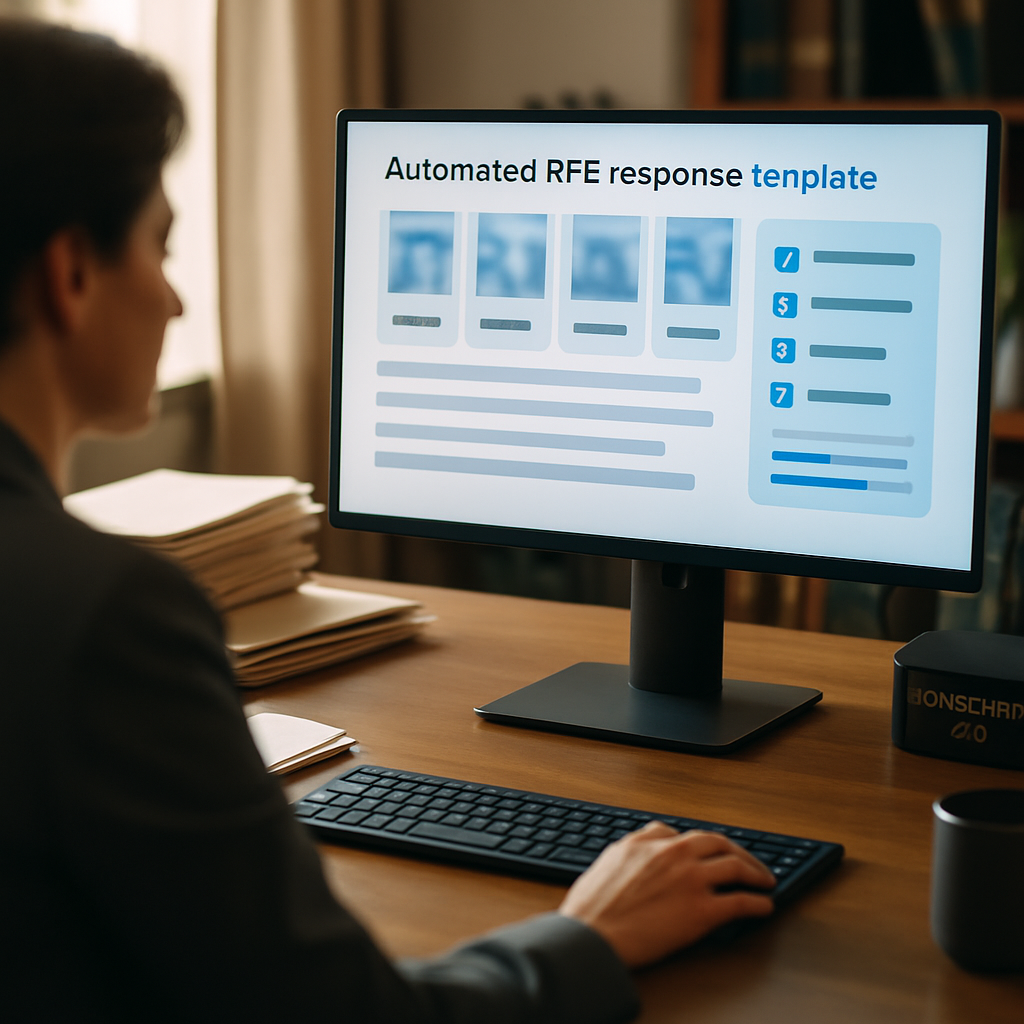
LegistAI delivers an AI-native approach to accelerate RFE turnaround by combining a curated template library with workflow automation, evidence extraction, and attorney review checkpoints. This guide explains practical steps for deploying automated RFE response templates immigration law teams can rely on to increase throughput, reduce repetitive drafting, and keep attorney oversight where it matters most.
In this guide you'll find: a mini table of contents to orient implementation; an explanation of how LegistAI's template + AI extraction model works in practice; a step-by-step RFE response workflow with a numbered implementation checklist; sample RFE response templates attorneys can adapt; security and compliance controls to consider; and actionable best practices for measuring ROI and maintaining quality. Read on for concrete examples and a comparison of template-only vs AI-assisted workflows.
Mini table of contents: 1) Why template + AI matters; 2) How LegistAI extracts evidence and inserts citations; 3) Step-by-step RFE response workflow with checklist; 4) Sample RFE templates and editable examples; 5) Integration, onboarding, and security controls; 6) Best practices for quality assurance and measuring ROI.
How LegistAI Helps Immigration Teams
LegistAI helps immigration law firms run faster, cleaner workflows across intake, document collection, and deadlines.
- Schedule a demo to map these steps to your exact case types.
- Explore features for case management, document automation, and AI research.
- Review pricing to estimate ROI for your team size.
- See side-by-side positioning on comparison.
- Browse more playbooks in insights.
More in Document Automation
Browse the Document Automation hub for all related guides and checklists.
Why automated RFE response templates matter for immigration teams
Responding to Requests for Evidence (RFEs) consumes disproportionate attorney time in immigration practices. The core problem is predictable: RFEs ask for a limited set of evidentiary items or clarifications that can be anticipated, structured, and standardized. Automated RFE response templates immigration law teams adopt are not a substitute for attorney judgment; they are a productivity multiplier that converts repeatable drafting and evidence-collection tasks into low-friction workflows.
At a practical level, template-driven RFE systems reduce turnaround time by pre-populating standard language, mapping required supporting documents to checklist items, and preserving citation and policy references that frequently recur across cases. For managing partners and immigration practice managers, the primary business benefits are improved throughput per attorney, reduced billable hour leakage on routine drafting, faster client communication, and a clearer audit trail for compliance and supervisory review.
From a technical perspective, the most effective implementations pair a robust template library with AI capabilities that can extract evidence from uploaded documents, suggest targeted language for responses, and flag areas requiring bespoke attorney input. That combined approach—templates for structure, AI for evidence extraction and drafting suggestions—makes the process faster without ceding control. For teams evaluating rfe automation software for immigration law, look for platforms that emphasize role-based review checkpoints, configurable templates, and integrations that preserve your existing case management and document workflows.
How LegistAI combines templates, AI extraction, and attorney review
LegistAI is designed as an AI-native immigration law platform where automated RFE response templates immigration law teams use live alongside AI-assisted evidence extraction. The product approach separates three functional responsibilities so teams maintain legal control while gaining efficiency:
- Template engine: Configurable templates codify common RFE response structures—opening statements, summary of requested items, itemized attachments, standard legal citations, and signature blocks. Templates are modular so firms can maintain jurisdiction- or practice-specific variants.
- AI extraction layer: When a client uploads materials to the immigration document drive for client document collection, LegistAI analyzes PDFs, images, and common document formats to identify relevant evidence. The system labels documents (e.g., pay stubs, employment verification letters, medical records) and extracts key metadata like dates, names, and numbers to populate template placeholders.
- Attorney review and checkpoints: Draft responses land in a review queue with proposed language, extracted exhibits, and suggested citations. Role-based access control ensures only authorized attorneys can approve responses. Audit logs capture who reviewed and when, preserving a defensible record.
How AI extracts evidence from PDFs and where it helps most
Understanding how ai extracts evidence from immigration pdfs is essential for evaluating automation value. LegistAI applies OCR and NLP models tuned for immigration document types. The system recognizes form fields, standard boilerplate from third-party documents, and inline dates or amounts. It prioritizes extraction tasks that reduce manual work: pulling dates of employment, wage amounts, beneficiary names, academic degree titles, and employer contact details. Extracted fields are mapped to template variables so the RFE draft contains a pre-populated summary of exhibits.
Extraction is not presented as final legal fact; instead, LegistAI highlights low-confidence extractions and routes them to a human reviewer. This human-in-the-loop design keeps attorneys in control while accelerating evidence collection and initial assembly. For teams deciding between pure template libraries and AI-assisted options, the AI layer reduces time spent on reading and manual transcription, and template integration ensures that the final product aligns with firm standards and client communications.
Step-by-step RFE response workflow and implementation checklist
Below is a concrete, implementable workflow for handling RFEs using LegistAI’s automated RFE response templates immigration law teams adopt. The workflow balances automation with attorney oversight and is suitable for law firms or corporate immigration teams that want repeatable quality control.
End-to-end workflow steps
- RFE intake and classification: Upload the RFE notice to the case file. LegistAI parses the RFE and suggests a category (e.g., employment verification, proof of continuous residence, educational credential).
- Create a response draft from template: Select the appropriate RFE template. The template includes a required-evidence matrix that lists documents USCIS requested and corresponding internal checklist items.
- Client document collection: Trigger the immigration document drive for client document collection. The platform sends a secure link and collects uploaded PDFs, images, or third-party letters. Multi-language support can help Spanish-speaking clients submit materials more quickly.
- AI-assisted extraction: LegistAI processes uploads, extracts metadata, and assigns document type labels. High-confidence extractions auto-populate template fields; lower-confidence items are flagged for manual validation.
- Attorney review: A reviewer inspects the populated draft, verifies extracted facts, adds legal citations (recommended from the AI research panel), and confirms which exhibits will be attached.
- Quality assurance and approval: Checklists ensure all RFE questions are addressed and exhibits are properly labeled. Approving attorney signs off, and the system logs the approval.
- Finalize and deliver: Produce the response package in the required format, generate a cover letter, and record filing deadlines and USCIS tracking information back in the case matter.
Implementation checklist (numbered)
- Define common RFE categories and create or map templates for each.
- Configure the evidence mapping matrix within each template (e.g., what attachment corresponds to which RFE paragraph).
- Set up the immigration document drive and client intake messaging, including Spanish language templates if needed.
- Train extraction models on your document types by uploading representative samples for tuning and establishing confidence thresholds.
- Establish review roles and approvals: designate primary reviewer, backup reviewer, and approver.
- Create standard attorney notes and citation libraries that can be pulled into drafts.
- Set audit logging and encryption settings, and configure role-based access control.
- Run pilot cases and measure turnaround time, QC exceptions, and user feedback. Iterate on templates and extraction tuning.
This checklist is intentionally prescriptive so teams can translate planning into prioritized tasks. Each item aligns to a measurable outcome: faster response assembly, improved client communication, reduced transcription errors, and clear supervisory oversight.
Sample RFE response templates and editable examples
Below are practical sample templates you can adapt in LegistAI's template engine. Each sample uses placeholders that map to extracted fields so drafts are partially auto-populated. These templates are written for attorney review—do not file without case-specific edits.
1. Employment verification RFE (H-1B / employment-based)
<Date>
USCIS
RE: Request for Evidence (RFE) for Petition: <Petition Number> - <Beneficiary Name>

Dear Officer:

On behalf of <Petitioner Name> and <Beneficiary Name>, enclosed please find documentation responsive to the RFE dated <RFE Date>. The materials supplied address the issues identified by USCIS regarding the beneficiary's employment and wage support.

Attached Exhibits:
Exhibit A: Signed employment verification letter from <Employer Name> (dated <Date>)
Exhibit B: Pay stubs covering <Date Range> (extracted wages: <Wage Field>)
Exhibit C: Copies of Form W-2 for year(s) <Years>

Legal Basis and Discussion:
[Insert case-specific legal analysis and citations. Use the AI research panel to pull relevant precedent and USCIS policy language.]

Sincerely,
<Attorney Name>
<Firm>
Placeholders such as <Employer Name> or <Wage Field> are auto-filled when LegistAI's extraction layer confirms document type and extracts metadata. Low-confidence fields are flagged for manual confirmation.
2. Bona fide relationship / marriage-based RFE
<Date>
USCIS
RE: Request for Evidence for Form I-130, Beneficiary: <Beneficiary Name>

Dear Officer:

In response to the RFE dated <RFE Date>, enclosed are documents demonstrating the bona fide marital relationship between <Petitioner Name> and <Beneficiary Name>.

Attached Exhibits:
Exhibit A: Marriage certificate (translated and certified)
Exhibit B: Joint lease (showing both names) dated <Date>
Exhibit C: Joint bank account statements (account ending <Last4Digits>)
Exhibit D: Photographs of shared travel and family events (with captions and dates)

Discussion:
[Insert timeline of cohabitation, shared financial responsibilities, and corroborating testimony where applicable. Include references to policy guidance and any relevant USCIS memoranda from the AI research suggestions.]

Sincerely,
<Attorney Name>
3. Educational credential RFE
<Date>
USCIS
RE: Request for Evidence for Form I-140, Beneficiary: <Beneficiary Name>

Dear Officer:

Enclosed please find a certified educational credential evaluation and supporting documentation responsive to the RFE dated <RFE Date>.

Attached Exhibits:
Exhibit A: Degree certificate (translated and certified)
Exhibit B: Official transcripts from <University Name>
Exhibit C: Credential evaluation from <Evaluation Service Name> (document confirms equivalency to U.S. bachelor’s/master’s degree)

Discussion:
[Insert factual summary and legal analysis correlating degree equivalency to the required job qualifications. Pull targeted citations from the AI research panel for precedent or policy references.]

Sincerely,
<Attorney Name>
These samples illustrate how templates can be modular: an evidence table, an exhibit list, and a discussion block where the AI can propose language. Firms should maintain an internal library of approved boilerplate phrases for specific RFE categories and use the template versioning controls in LegistAI to track changes over time.
Comparing workflows: manual, template-only, and AI-assisted approaches
When evaluating rfe automation software for immigration law, decision-makers must weigh efficiency gains against risk and oversight. The table below compares three common approaches—manual drafting, template-only systems, and AI-assisted template workflows like LegistAI.
| Feature | Manual | Template-only | AI-assisted (Template + Extraction) |
|---|---|---|---|
| Draft assembly time | High (manual copy/paste and transcription) | Moderate (templates reduce typing but require manual evidence assembly) | Lower (templates auto-populate with extracted fields and suggested exhibits) |
| Evidence extraction | Manual review of each document | Manual upload and tagging required | Automated extraction from PDFs and images with confidence flags |
| Attorney oversight | Direct and continuous | Direct; less repetitive review | Focused on verification of flagged items; review of AI-suggested citations |
| Auditability | Relies on firm logs | Improved with template versioning | Enhanced: audit logs, role-based approvals, and extraction provenance |
| Onboarding speed | Varies; often slower | Faster if templates pre-built | Fast for users; requires initial model tuning and template mapping |
This comparison highlights practical tradeoffs: template-only approaches reduce drafting but still require manual evidence triage. AI-assisted systems reduce manual triage work and streamline intake, but they require a brief setup phase—configuring templates, establishing extraction confidence thresholds, and training reviewers to focus on flagged items rather than reading every document end-to-end. For firms seeking measurable throughput improvements while maintaining attorney control, the AI-assisted model provides the most balanced option.
Security, compliance, onboarding, and integrations
Legal teams evaluating technology require concrete assurances around data security, access control, and the ability to integrate with existing case management systems. LegistAI addresses these needs through a layered approach that maps to common procurement checklists for legal software.
Security and controls
Key technical controls include:
- Role-based access control (RBAC): Define granular roles—paralegal, reviewer, approver—so only authorized personnel access sensitive case files and RFE drafts.
- Encryption in transit and at rest: All client uploads and case files are encrypted during transfer and while stored to align with standard security expectations for legal data.
- Audit logs: Detailed logs capture who accessed, edited, reviewed, or approved each response, creating a defensible trail for compliance and supervisory review.
Onboarding and change management
Quick onboarding is critical for small- to mid-sized firms that cannot dedicate long technology change programs. Practical onboarding steps typically include: configuring a small set of high-value templates, running a two-week pilot with a handful of active RFE cases, tuning extraction confidence thresholds using representative documents, and training reviewers on the QA checklist. Because LegistAI's template engine is configurable, firms can import existing boilerplate language and preserve internal drafting standards during rollout.
Integrations and operational fit
Many decision-makers ask how a new RFE automation tool will fit into an existing ecosystem. LegistAI is positioned to operate alongside case management and document storage systems: templates map to case matter fields, extracted metadata can be exported, and task routing aligns with existing workflows. When evaluating an implementation, focus on API support, export formats for exhibits, and the ability to preserve existing file naming and retention policies.
These operational and security assurances help firms evaluate ROI by reducing manual hours, minimizing transcription mistakes, and shortening client-response cycles. The goal is not to remove attorneys from the loop but to optimize where attorneys spend their time—on legal analysis rather than repetitive document assembly.
Best practices, quality assurance, and measuring ROI
Adopting automated RFE response templates immigration law teams also requires governance to sustain quality. Below are actionable best practices to ensure accuracy, compliance, and measurable gains.
Best practices
- Version-controlled templates: Maintain a template library with versioning so changes are tracked and reviewers always use the latest approved language.
- Confidence thresholds: Configure the AI extraction confidence level. Items below the threshold should surface clearly in the review queue.
- Reviewer scripts and checklists: Provide reviewers with a short checklist (e.g., confirm beneficiary name, verify date fields, validate exhibits list) to standardize review work and reduce omissions.
- Periodic audit sampling: Routinely sample closed RFE responses to ensure templates and extraction rules produce acceptable outputs.
Quality assurance sample checklist
- Confirm RFE category and applicable template selected.
- Validate top five extracted fields: beneficiary name, petitioner name, date of birth, employment dates, wage amounts.
- Review exhibit list and verify that uploaded documents correspond to each exhibit label.
- Confirm required translations and certifications are attached and noted.
- Ensure legal discussion addresses each item raised in the RFE and that citations are current.
- Approve and sign, then log approval and set reminders for deadline tracking.
Measuring ROI
ROI should be calculated using measurable inputs: reduction in average drafting time per RFE, reduction in non-billable hours spent extracting and organizing evidence, and faster client communication cycles. Track baseline metrics during a pilot, including average days from RFE receipt to response submission and the number of attorney hours per response. After deployment, compare these metrics to quantify gains. Additional qualitative metrics—client satisfaction with response speed and internal satisfaction with usability—are helpful to build continued adoption.
Finally, treat this as an iterative program. Templates, extraction rules, and reviewer checklists will evolve as you identify recurring RFE patterns and edge cases. The best-performing teams combine disciplined change control with incremental improvements driven by measured outcomes.
Conclusion
Automated RFE response templates immigration law teams use to scale must do three things well: reduce manual evidence triage, preserve attorney oversight, and provide a clear audit trail. LegistAI combines a configurable template engine, AI-assisted extraction from client uploads, and structured review checkpoints so teams can streamline RFE workflows while maintaining quality and compliance controls.
If you manage an immigration practice or corporate immigration team evaluating rfe automation software for immigration law, begin with a narrow pilot: identify the top 2–3 RFE categories that consume the most time, map templates to those categories, tune extraction on representative documents, and measure time-to-response improvements. When you're ready, request a demo of LegistAI to see how our template and extraction workflow maps to your existing case management processes and security requirements.
Frequently Asked Questions
What are automated RFE response templates and how do they help immigration attorneys?
Automated RFE response templates are pre-built, editable response structures that pair standardized language and exhibit lists with variable fields. When combined with AI extraction, these templates auto-populate with client and document metadata, reducing repetitive drafting and speeding up evidence assembly. Attorneys still review and approve final responses, preserving legal control while improving throughput.
How does the AI extract evidence from immigration PDFs and ensure accuracy?
LegistAI uses OCR and natural language processing tuned for immigration document types to identify document categories and extract key metadata such as dates, employer names, wage amounts, and certificate titles. The platform surfaces confidence scores for each extraction. High-confidence items auto-populate templates, while low-confidence items are flagged for manual validation by a reviewer.
Can the platform collect documents directly from clients in multiple languages?
Yes. LegistAI supports a secure immigration document drive for client document collection and offers multi-language support to help Spanish-speaking clients submit the required materials. Intake messaging and instructions can be configured in the preferred language to reduce friction and improve completeness of submissions.
What security and compliance controls does LegistAI provide for RFE workflows?
LegistAI supports role-based access control, detailed audit logs that record edits and approvals, and encryption both in transit and at rest. These controls allow firms to constrain access to sensitive files, demonstrate supervisory review, and preserve an auditable trail for compliance purposes.
How should my firm measure the ROI of adopting automated RFE templates?
Measure time-to-respond and attorney hours per RFE before and after a pilot, track the number of exceptions requiring manual data entry, and collect qualitative feedback from attorneys and paralegals about workflow efficiency. Quantify reductions in non-billable hours and improvements in turnaround time to calculate tangible ROI.
Do automated templates eliminate the need for attorney review?
No. Templates and AI-assisted extraction are designed to reduce routine work, not replace legal judgment. LegistAI emphasizes attorney review checkpoints with role-based approvals and audit logs so supervising attorneys can validate facts and legal analysis before submission.
Can I customize templates and maintain firm-specific language or citation libraries?
Yes. LegistAI's template engine is configurable, supports template versioning, and allows firms to maintain their own boilerplate language and citation libraries. This lets you enforce firm standards while benefiting from automation.
Want help implementing this workflow?
We can walk through your current process, show a reference implementation, and help you launch a pilot.
Schedule a private demo or review pricing.
Related Insights
- Immigration document drive for client document collection: best practices
- Secure Document Collection for Immigration Clients: Tools, Templates and Compliance
- Automated document assembly for Form I-130: build templates and reduce errors
- How to centralize document collection for immigration cases: tools, process, and client workflows
- Automated Document Assembly for Family-Based Immigration Petitions: How to Build Reliable Templates