Calculating ROI of immigration case management software for small firms
Updated: July 26, 2026
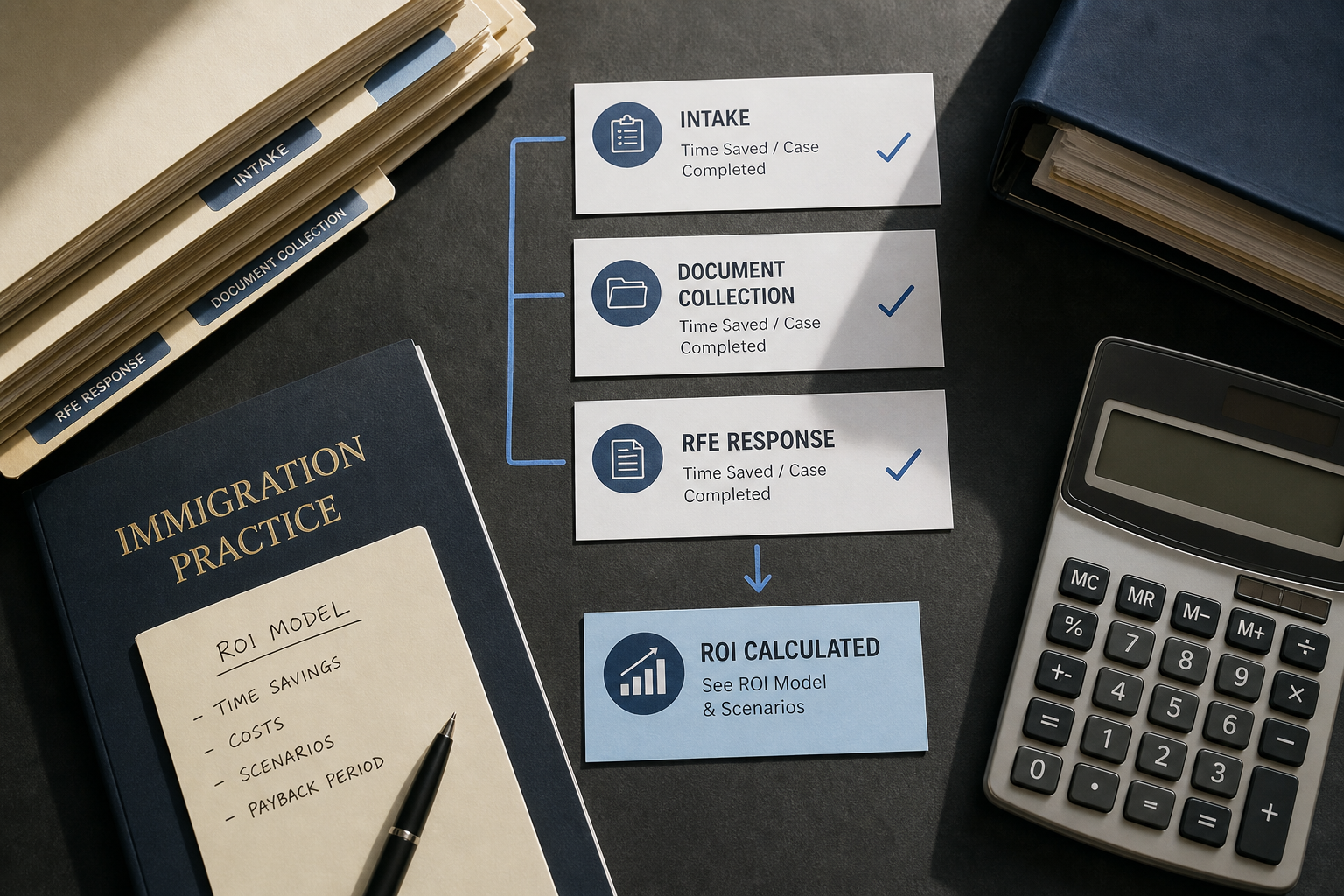
Adopting an AI-native immigration case management platform is a major operational decision for small law firms and corporate immigration teams. This guide explains how to measure the return on investment (ROI) and total cost of ownership (TCO) for immigration case management software, with a focus on realistic assumptions, conservative and aggressive scenarios, and concrete payback-period examples. You will walk away with a repeatable ROI model and a downloadable calculator template you can adapt to your firm’s data.
What this guide covers: a mini table of contents follows so you can jump to the section you need. It outlines the inputs for an ROI model, maps time savings across core immigration tasks (intake, document collection, RFE responses, drafting), shows conservative and aggressive scenario calculations, offers implementation and security guidance, and supplies measurement tips to track outcomes post-deployment.
Mini table of contents: 1) Why ROI matters; 2) Building an ROI model (inputs & formulas + downloadable calculator); 3) Time-savings mapping per task; 4) Conservative vs aggressive scenarios and payback examples; 5) Implementation, security, and onboarding; 6) Measuring outcomes and continuous improvement; 7) FAQs and next steps.
More in Immigration Technology & AI
Browse the Immigration Technology & AIWhy measuring ROI for immigration case management software matters
For managing partners, immigration practice managers, and in-house counsel, the decision to adopt an immigration case management platform should be measured against clear financial, operational, and compliance objectives. Calculating roi of immigration case management software for small firms is both a budgeting exercise and a strategic evaluation: it quantifies efficiencies, forecasts staffing impacts, and demonstrates a credible business case for technology investment.
Beyond headline cost-savings, measuring ROI creates alignment with stakeholders. It clarifies whether the platform is expected to free attorney time for higher-value matters, reduce error-prone manual work, lower risk exposure through better audit trails, or accelerate client onboarding. When you frame adoption in terms of measurable outcomes—hours saved, cases handled per attorney, reduced RFE turnaround time—you can more easily justify licensing fees and implementation costs to firm leadership.
Key benefits to capture in your ROI analysis include:
- Labor cost reduction: quantifiable time savings for attorneys, paralegals, and operations staff.
- Capacity uplift: ability to handle more matters without hiring proportionally.
- Risk mitigation: improved compliance controls and audit logging that reduce rework and potential penalties.
- Revenue acceleration: faster intake and case progression leading to shortened billing cycles or higher throughput.
In this section we anchored why ROI is essential. The remaining sections translate these benefits into a practical model you can use immediately to estimate TCO, payback period, and net present value of software adoption for small immigration practices.
Building an ROI model: inputs, formulas, and the downloadable calculator
Constructing a robust ROI model starts with identifying inputs and selecting a conservative timeline. Below are the standard inputs and straightforward formulas to calculate first-year ROI and multi-year TCO. Use this to populate a spreadsheet or the downloadable calculator template referenced below.
Essential inputs
Collect the following baseline data from your practice. If you don’t have precise metrics, use reasonable averages and conduct sensitivity analysis in conservative/aggressive columns.
- Annual cases handled: total matters processed per year (by matter type if applicable).
- Average staff time per matter: hours spent by role (partner, associate, paralegal, operations) for intake, document collection, drafting, RFEs, and client communications.
- Hourly fully-burdened rates: include salary, benefits, and overhead apportioned per role.
- Software costs: annual subscription/license fees, per-user fees, or tiered pricing.
- Implementation costs: migration, configuration, template creation, legal content migration, and external consultant time.
- Training costs: internal training hours and any vendor-led onboarding fees.
- Ongoing maintenance: internal admin time, template updates, and periodic training refresh.
- Estimated time-savings: percentage or absolute hours reduced per task post-adoption (use the task mapping section for guidance).
Core formulas
Use these formulas when you build the calculator:
Annual labor cost baseline = SUM (hours_per_role_per_case * cases_per_year * fully_burdened_hourly_rate)
Annual labor cost with software = Annual labor cost baseline - (Total_hours_saved_per_year * weighted_hourly_rate)
First-year net benefit = (Annual labor cost baseline - Annual labor cost with software) - First_year_implementation_and_training_costs
Payback period (months) = (Total_implementation_and_first_year_costs) / (Monthly_net_benefit)
Downloadable calculator
We provide a downloadable calculator (Excel/CSV) that plugs these inputs into conservative, mid, and aggressive scenarios. The calculator includes separate tabs for: assumptions, raw inputs, scenario outputs, and charts showing payback and multi-year ROI. Use the spreadsheet to run sensitivity analysis by adjusting time-savings percentages and pricing tiers.
Implementation artifact: calculator schema
Below is a simple JSON schema snippet you can use to seed a spreadsheet import or integrate with your internal pricing tools.
{
  "cases_per_year": 200,
  "roles": [
    {"role":"Partner","hours_per_case":2.5,"hourly_rate":150},
    {"role":"Associate","hours_per_case":3.5,"hourly_rate":90},
    {"role":"Paralegal","hours_per_case":4.0,"hourly_rate":45}
  ],
  "software_annual_cost":18000,
  "implementation_cost":6000,
  "training_cost":2000,
  "estimated_time_savings_percent":{
    "intake":0.30,
    "document_collection":0.40,
    "rfe_response":0.35,
    "drafting":0.25
  }
}
Note: the values in the JSON schema are illustrative placeholders. Replace with real numbers from your firm. The downloadable calculator mirrors this structure and computes annual benefits, cumulative savings, and payback period automatically.
Finally, when building your model, include non-labor impacts where relevant: faster time-to-file can reduce delay-related costs, better client portals may increase retention, and improved audit logs simplify compliance reviews. These intangible benefits are harder to monetize but should be documented qualitatively in your investment memo.
Mapping time savings: intake, document collection, and RFE responses
One of the most critical inputs for calculating roi of immigration case management software for small firms is the task-level time saving. Breaking time savings into specific tasks produces a more accurate model than a single aggregate number. Below we map typical immigration workflows and provide illustrative conservative and aggressive time-savings assumptions you can test in the downloadable calculator.
Core tasks and roles
Immigration matters generally include a sequence of recurring tasks across roles:
- Client intake and conflict checks: initial form collection, conflict-check documentation, and fee agreements (attorney/paralegal time).
- Document collection and organization: collecting supporting documents, naming, version control, and creating document packets (paralegal/operations).
- Drafting petitions and support letters: attorney drafting assisted by automated templates and clause libraries.
- Responses to RFEs (Requests for Evidence): triage, evidence gathering, drafting, and submission.
- USCIS tracking and deadline management: calendar management, reminders, and status updates to clients.
Illustrative time-savings map
Below is a sample table that maps task-level time savings per case. These are example assumptions for modeling purposes only—replace with your firm’s measured baseline or use them to run sensitivity scenarios.
| Task | Baseline time per case (hrs) | Conservative time saved (%) | Aggressive time saved (%) | Conservative time saved (hrs) | Aggressive time saved (hrs) |
|---|---|---|---|---|---|
| Client intake & conflict check | 2.5 | 20% | 50% | 0.5 | 1.25 |
| Document collection & organization | 6.0 | 25% | 60% | 1.5 | 3.6 |
| Drafting petitions/support letters | 4.0 | 15% | 35% | 0.6 | 1.4 |
| RFE response (when applicable) | 10.0 | 20% | 45% | 2.0 | 4.5 |
| USCIS tracking & reminders | 1.5 | 30% | 70% | 0.45 | 1.05 |
How to use this mapping: multiply the time saved per task by the fully-burdened hourly rate for the role performing that task and by the number of matters per year. Sum across tasks to determine annual labor cost savings. For RFEs, account for only the percentage of cases that receive an RFE—include an RFE incidence rate in your model.
Why task-level mapping improves accuracy
Task-level mapping reduces error in predictions by recognizing the uneven impact of automation. For example, client intake and document collection are often highly automatable with client portals, intelligent checklists, and automated reminders, so they yield higher time-savings percentages. Attorney drafting benefits from AI-assisted templates and clause libraries, which increase speed but typically produce smaller percentage gains compared to document collection. Modeling each task separately also helps you prioritize where to configure templates and automation most intensively during implementation.
Practical measurement tips
To refine your inputs, run a two-week time-tracking exercise for a representative sample of matters prior to deployment. Use simple time-tracking tools or billing records to estimate actual hours per task. Post-deployment, repeat the exercise after 60–90 days to validate assumptions and calibrate the model. The downloadable calculator includes a worksheet specifically for time-tracking aggregation to make this straightforward.
Conservative vs aggressive scenarios and payback-period examples
Decision-makers need both conservative and aggressive scenarios to understand the range of possible outcomes. Below we provide two illustrative scenarios for a small immigration practice to demonstrate how payback period and annual ROI differ based on time-savings assumptions and cost structure. Replace the sample inputs with your firm’s data in the downloadable calculator.
Assumptions common to both scenarios
For comparability, both scenarios use these baseline assumptions (these are sample values—do not treat as guarantees):
- Cases per year: 240
- Staffing mix: 1 partner, 1 associate, 2 paralegals
- Weighted fully-burdened hourly rate: $80 (aggregate average across roles)
- Software annual subscription: $18,000
- Implementation & training (first year): $8,000
- Ongoing annual maintenance/admin: $3,000
- RFE incidence: 25% of cases
Scenario A — Conservative
Conservative time-savings assumptions (drawn from the task mapping table):
- Intake: 20% time saved
- Document collection: 25% time saved
- Drafting: 15% time saved
- RFE response (for 25% of cases): 20% time saved
- USCIS tracking: 30% time saved
Estimated annual hours saved (illustrative calculation):
- Total baseline hours per case (sum of tasks in mapping table): 24 hours
- Weighted percent time saved across tasks: approximately 22%
- Hours saved per case ≈ 5.28 hours
- Annual hours saved = 5.28 * 240 cases = 1,267.2 hours
- Annual labor cost savings = 1,267.2 * $80 = $101,376
First-year net benefit = Annual labor savings - (software + implementation + training) = $101,376 - $26,000 = $75,376. Payback period: since implementation costs are in year one ($26,000), payback occurs within the first year in this illustrative scenario. Note: these conservative assumptions still produce a compelling ROI due to the high number of billable hours freed; adjust the hourly rate and case count for a smaller shop.
Scenario B — Aggressive
Aggressive time-savings assumptions:
- Intake: 50% time saved
- Document collection: 60% time saved
- Drafting: 35% time saved
- RFE response (25% of cases): 45% time saved
- USCIS tracking: 70% time saved
Estimated annual hours saved (illustrative calculation):
- Weighted percent time saved across tasks: approximately 47%
- Hours saved per case ≈ 11.28 hours
- Annual hours saved = 11.28 * 240 = 2,707.2 hours
- Annual labor cost savings = 2,707.2 * $80 = $216,576
First-year net benefit = $216,576 - $26,000 = $190,576. Under these assumptions, payback occurs in well under a single quarter in most cases. However, aggressive scenarios assume rapid adoption of automation and high template utilization; realize these gains only if you invest in configuration and user training up front.
Payback-period sensitivity
Payback period is sensitive to three variables: cases per year, weighted hourly rate, and time-saved percentage. If cases per year fall, or your weighted rate is lower, payback lengthens. Use the downloadable calculator to run two-way sensitivity tables (cases x time-saved, hourly rate x time-saved) to find the break-even thresholds for your firm.
Finally, remember to account for non-labor benefits in your internal memo: improved client experience, fewer missed deadlines due to automated reminders, and better audit evidence. These may not appear as direct dollar savings but often influence retention and risk adjustments that affect long-term profitability.
Implementation, security, and quick onboarding: practical checklist
Successful adoption of immigration case management software like LegistAI requires disciplined implementation, clear security practices, and a plan for rapid user enablement. Below is a practical implementation checklist and guidance on controls to satisfy compliance-minded stakeholders.
Implementation checklist (numbered)
- Designate an internal project owner and steering committee (partner, practice manager, IT lead).
- Map current workflows and identify high-impact automation targets (intake, document collection, RFE templates).
- Run a pilot with a representative caseload to validate task-level time savings.
- Configure templates, checklists, and approval rules prior to full roll-out.
- Establish role-based access control and user permissions aligned to firm policy.
- Migrate critical documents and client records in phases; validate data integrity after each batch.
- Execute a training schedule with hands-on sessions and role-specific guides.
- Enable audit logs and confirm encryption in transit and at rest for sensitive data.
- Set KPIs and dashboards to track adoption, time savings, and compliance metrics.
- Plan for quarterly reviews and template refinements based on feedback.
Security and compliance controls to include
Legal teams evaluating immigration case management software should confirm basic controls. LegistAI provides role-based access control, audit logs, encryption in transit, and encryption at rest. When validating any platform, consider the following checklist:
- Role-based access control (RBAC): enforce least-privilege access for attorneys, paralegals, and operations staff.
- Audit logging: immutable logs that record user actions for compliance reviews and internal audits.
- Encryption: verify encryption in transit (TLS) and encryption at rest for stored documents and metadata.
- Data residency and retention: align platform retention policies to your firm’s document retention rules and client agreements.
- Administrative controls: multi-factor authentication (MFA) support and user lifecycle management.
Onboarding best practices to accelerate time-to-value
Quick onboarding reduces friction and helps achieve the ROI signals modeled earlier. Prioritize the following operational steps during the first 60 days:
- Template prioritization: configure templates for your five most common matter types first.
- Process playbooks: create short process guides for intake and RFE workflows so users can easily apply automation.
- Shadowing and feedback loops: pair early adopters with slower users and collect frontline feedback weekly for 6–8 weeks.
- Measure early wins: track hours saved on pilot matters and publish a short ROI update to stakeholders at 30 and 90 days.
Adoption is a mix of technology and change management. By implementing the checklist above and validating security controls, you can accelerate the timeline to realize the ROI described in the earlier sections while maintaining compliance and data protection standards expected by immigration practice teams.
Measuring outcomes and continuous improvement after deployment
After go-live, tracking outcomes systematically is essential to validate your ROI model and sustain long-term gains. This section outlines KPIs, reporting cadence, and continuous improvement practices tailored to immigration practices using AI-native case management tools.
KPIs to track
Create a dashboard with a small set of high-value KPIs that map directly to your financial model. Typical KPIs include:
- Hours saved per case (by task): measure changes in intake, document collection, drafting, and RFE response times.
- Cases per attorney per year: monitor capacity uplift and throughput improvements.
- Average time-to-file: time from intake to filing/submission.
- RFE turnaround time: days from issuance to submission of a response.
- Client intake completion rate: percentage of clients who complete intake without follow-up.
- User adoption metrics: active users, template utilization, checklist completion rates.
Reporting cadence and governance
Establish a regular reporting rhythm: weekly adoption check-ins for the first 90 days, transitioning to monthly operational reviews and quarterly financial assessments. Include both practice leadership and operations staff in governance meetings to discuss issues, prioritize template development, and refine automation rules.
Continuous improvement loop
Use a three-step loop to capture ongoing benefits:
- Measure: collect baseline and post-deployment metrics for the KPIs above.
- Analyze: identify bottlenecks and low-utilization templates; investigate reasons (training gaps, template fit, permissions).
- Improve: refine templates, update checklists, and run targeted training sessions to address gaps.
Example dashboard layout
A practical dashboard contains a top-level ROI snapshot and drilldowns by matter type. An example layout: headline net labor savings (YTD), payback status, top 5 templates by usage, average time-to-file by practice area, and a list of pending automation requests from attorneys. This visibility enables a data-driven approach to scale automation within the firm.
Finally, maintain a short-term roadmap for feature and template development aligned to the highest-value workflows. Prioritize automation that reduces costly rework (e.g., misfiled evidence) and supports compliance (audit trails and approvals). When you close the loop between measured outcomes and prioritized improvements, your ROI becomes an ongoing business capability rather than a one-time calculation.
Conclusion
Calculating roi of immigration case management software for small firms is an exercise in disciplined measurement and realistic scenario planning. By breaking down tasks, collecting baseline time data, and applying conservative and aggressive savings assumptions, your firm can produce a defensible business case for AI-native platforms such as LegistAI. Use the downloadable calculator to model multiple scenarios, test sensitivity, and derive a clear payback timeline.
Ready to quantify the impact for your practice? Download the ROI calculator, run your numbers with firm-specific inputs, and schedule a demo to see how LegistAI’s workflow automation, document templates, and AI-assisted drafting support translate into measurable efficiency and compliance controls. Contact our team to get your practice-specific projection and a guided onboarding plan that prioritizes quick wins.
Frequently Asked Questions
How do I start calculating ROI if I don’t have precise time-tracking data?
Start with a small time-tracking exercise: select a representative sample of 10–20 recent matters and estimate time spent per task using billing records, calendar entries, or simple stopwatches. Use conservative assumptions in your ROI model and run sensitivity analysis. After deployment, validate with post-adoption tracking and update the model.
What costs should I include in total cost of ownership (TCO)?
Include software subscription fees, per-user licenses, first-year implementation and training, ongoing administrative overhead, and any data migration costs. Factor in indirect costs such as temporary productivity dips during onboarding and the internal time to configure templates. Exclude speculative downstream revenue gains unless you can reasonably estimate them.
Can AI-generated drafts be relied on for legal submissions?
AI-assisted drafting accelerates the preparation of petitions and support letters, but attorneys retain responsibility for review and legal analysis. Use AI outputs as a drafting aid and incorporate firm-specific templates, citations, and policy guidance. Implement review workflows and approvals to maintain quality and compliance.
How does task-level mapping affect ROI accuracy?
Task-level mapping improves accuracy by recognizing that automation affects activities unevenly. Intake and document collection often yield higher percentage savings than attorney drafting. Modeling tasks separately helps prioritize implementation efforts and produces a more realistic estimate of hours saved and financial impact.
What security controls should I request from a vendor?
Request role-based access control, audit logs that record user activity, encryption in transit and at rest, multi-factor authentication support, and clear documentation of data retention policies. These controls help ensure compliance and reduce operational risk when handling sensitive immigration case data.
How long does it usually take to see measurable ROI?
Time-to-value depends on case volume, template readiness, and user adoption. Conservative scenarios often show payback within 6–12 months for small firms with consistent caseloads; aggressive adoption and high case volumes can shorten payback to a single quarter. Use the calculator to model your firm’s specific timeline.
Want to Implement This Workflow With LegistAI?
Schedule a short walkthrough tailored to your case types, intake, document collection, and deadline management.
Continue Reading
- Pricing Comparison: Immigration Case Management Software with AI — Features, TCO, and ROI
- Best FOIA Case Management Software for Small Immigration Firms: Top Options & Checklist
- Best Immigration Case Management Software for Small Law Firms: Comparing Options and Alternatives
- Immigration case management software for law firms: pricing, integrations and Docketwise comparisons
- Immigration case management software for law firms: vendor comparison and checklist for choosing the best immigration software