RFE triage automation for immigration firms: operational playbook to reduce response time
Updated: July 29, 2026
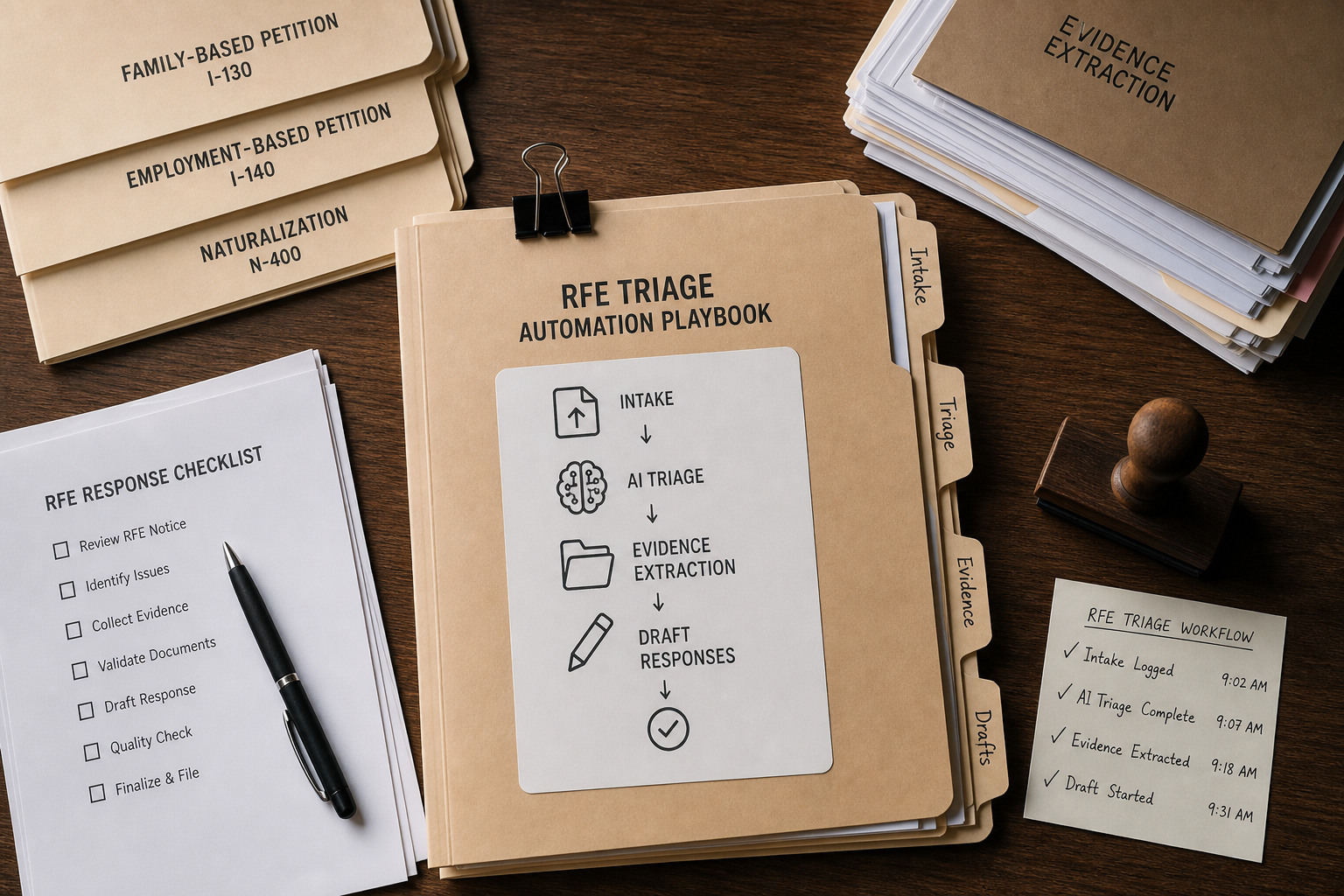
This guide provides a step-by-step operational playbook to design and implement an automated RFE triage workflow that prioritizes, assigns, and prepares responses with AI-assisted drafting and evidence extraction. It targets managing partners, immigration attorneys, in-house counsel, and practice managers evaluating software to streamline case workflows, speed RFE responses, and maintain compliance. Expect practical checklists, sample workflows for family- and employment-based petitions, and recommendations for measuring ROI and compliance controls.
Mini table of contents: 1) Executive overview and why RFE triage automation matters; 2) End-to-end operational playbook mapping intake → AI triage → evidence extraction → draft responses; 3) Designing rules, routing, and deadlines; 4) Implementation, security, and onboarding; 5) Sample family and employment workflows with illustrative timelines; 6) KPIs, ROI considerations, and a comparison table. Read on for templates, an actionable checklist, and FAQs to support procurement and deployment decisions.
More in USCIS Tracking
Browse the USCIS TrackingWhy RFE triage automation for immigration firms matters
Requests for Evidence (RFEs), Notices of Intent to Deny (NOIDs), and Notices of Intent to Revoke (NOIRs) disrupt case pipelines and consume disproportionate staff time. For small-to-mid sized immigration teams, manual triage—reading incoming notices, identifying missing evidence, assigning tasks, and drafting responses—creates bottlenecks and exposes firms to missed deadlines, inconsistent responses, and compliance risk. RFE triage automation for immigration firms changes the operational model: it streamlines intake, automates prioritization, extracts supporting evidence from client records, and generates structured draft responses for attorney review.
LegistAI is an AI-native immigration law platform designed to automate these steps within a secure, role-controlled environment. The platform focuses on workflow automation, document automation, AI-assisted legal research and drafting support, and case/matter management. When implemented correctly, automation reduces manual handoffs, accelerates attorney review cycles, and enables teams to handle more matters without proportionally increasing headcount. The remainder of this section explains the high-level benefits and how to set expectations for accuracy, compliance, and throughput.
Key benefits for decision makers:
- Faster response times: Automated triage quickly surfaces critical issues and evidence gaps so teams can act immediately.
- Consistent, repeatable processes: Standardized checklists, templates, and approval gates reduce variability across attorneys and paralegals.
- Auditability and controls: Role-based access, audit logs, and encryption provide the security controls managers require for client data and regulatory oversight.
Use this section to align stakeholders on what automation will and will not do: it accelerates preparation and increases consistency, but attorney review remains essential for legal strategy, privileged communications, and final submission decisions.
Operational playbook: intake → AI triage → evidence extraction → draft response
This section maps the end-to-end operational playbook you can implement using LegistAI to convert an incoming RFE/NOID/NOIR into an attorney-reviewed response with minimal friction. The approach is deliberately modular so teams can adopt individual components (e.g., AI-assisted drafting or automated task routing) on a phased timeline.
Summary of stages:
- Automated intake: Capture the notice and associated case files through client portal upload, secure email ingestion, or manual scan. LegistAI normalizes metadata (receipt numbers, case type, deadlines) and tags the matter.
- AI triage: The system classifies the notice type (RFE, NOID, NOIR), identifies claimed deficiencies (e.g., lack of proof of relationship, wage issues, maintenance of status), and assigns an initial priority based on deadline and complexity rules.
- Evidence extraction & verification: The platform searches the case file, client portal uploads, and template repositories to extract supporting documents, flag missing items, and create an evidence checklist.
- Draft response generation: LegistAI synthesizes a draft petition response or support letter using templates and AI-assisted drafting, including citations to policy guidance where applicable. Drafts are populated into the case matter for attorney review and approval.
- Task routing & approval: Automated checklists route tasks to paralegals for document collection, to experts for affidavits, and to attorneys for legal strategy and final sign-off.
- Submission and tracking: Once approved, documents are compiled, versioned, and prepared for filing with USCIS, and the case timeline updates with tracking and reminders.
Implementation checklist (numbered):
- Define RFE/NOID/NOIR intake channels and ownership (who receives notices and how they are uploaded to LegistAI).
- Map common deficiency types for your practice (e.g., proof of relationship, employment verification, maintenance of status) and link them to templates and evidence buckets.
- Configure triage rules and priority levels (standard, expedited, complex review) and set automated deadline calculations.
- Create or import document templates and canned response modules for common RFE types.
- Set role-based access controls and approval chains for attorney sign-off.
- Run a pilot with a representative sample of family- and employment-based RFEs to validate outputs and attorney satisfaction.
- Train staff on exception handling and escalate ambiguous notices to senior counsel.
Actionable tips:
- Start with a limited scope pilot—e.g., family-based I-130 RFEs—so you can refine classification labels and templates before broad rollout.
- Maintain a living library of evidence templates and sample responses to speed AI drafting and maintain consistency.
- Use audit log reviews during the pilot to tune role permissions and observe where manual intervention is most frequent.
This playbook emphasizes repeatability. By treating triage, evidence extraction, and drafting as discrete, automatable steps, firms can reduce cycle time while preserving attorney control over legal content and strategy.
Designing automated workflows, routing rules, and approval gates
Design choices in workflow automation determine whether an RFE triage rollout delivers speed without sacrificing quality. This section focuses on defining the business rules, routing logic, and approval gates that guide LegistAI's automation so staff know when the system can act autonomously and when human review is required.
Defining triage rules and classification
Begin by cataloging the most common RFE types your practice handles and the core evidence categories for each. Create a taxonomy that the AI uses for labeling notices, for example: "relationship proof," "employment verification," "foreign degree evaluation," "maintenance of status," and "criminal history." Triage rules should include deadline sensitivity (e.g., statutory deadlines, USCIS response windows) and complexity scoring (e.g., single missing document vs. multi-issue RFE). Complexity scoring drives routing: low-complexity items route to experienced paralegals, mid-complexity to senior paralegals with attorney oversight, and high complexity directly to supervising attorneys.
Task routing and role-based assignment
Map tasks to roles in advance and use the platform's task templates to minimize ad hoc assignments. Examples of task templates include "Collect certified marriage certificate," "Request employer wage verification," and "Prepare expert affidavit request." Configure automatic assignment rules based on matter type, geographical considerations (state-specific document requirements), and resource availability. Include SLA targets in task definitions so timeout actions kick off reminders or escalation paths.
Approval gates and attorney oversight
Set approval gates where legal judgment is required: final legal strategy, closing paragraphs with legal argumentation, and submission sign-offs. LegistAI supports multi-step approvals—drafts can be routed to a drafting attorney, a supervising partner, and a quality-control reviewer in sequence. Preserve attorney discretion by marking certain template modules as non-editable or requiring explicit override logging when changes occur.
Best practices for rules governance:
- Maintain a change log for triage rule updates and conduct periodic reviews to align the taxonomy with emerging USCIS guidance.
- Design UI prompts that surface why the system recommended a classification (e.g., highlighted snippets or policy citations) so reviewers can quickly validate the AI's reasoning.
- Standardize escalation triggers: missing evidence after X days, conflicting evidence, or AI confidence below a configured threshold.
Integrating deadline management: Robust deadline management is central to RFE automation. Configure automatic deadline calculations tied to receipt dates and incorporate reminders into both the client portal and internal dashboards. The system should support layered reminders (e.g., 14 days, 7 days, 48 hours, and 24 hours before deadline) and automatic priority escalation if tasks remain open.
Designing automation with these controls ensures that triage speeds work without removing attorney authority over legal decisions, ultimately balancing throughput with compliance and quality.
Implementation roadmap: onboarding, security controls, and change management
Implementation planning ensures that RFE triage automation is adopted and sustained across your firm or corporate immigration team. This section outlines an incremental adoption roadmap, required security and compliance controls included with LegistAI, and change management tactics to embed new processes into daily operations.
Phased rollout roadmap
Adopt a phased approach to reduce risk and capture early wins:
- Pilot phase: Choose a narrow scope (e.g., family-based I-130 RFEs) with a small cross-functional team: lead attorney, senior paralegal, and operations manager. Configure templates and triage rules, then run a two-to-four-week pilot to capture metrics and feedback.
- Expansion phase: Add additional matter types (e.g., employment-based RFEs) and increase the number of users while refining template libraries and triage labels.
- Optimization phase: Implement formal SLA tracking, integrate feedback loops to retrain templates, and formalize governance for rule updates.
Security and compliance controls
LegistAI supports controls that decision-makers require for handling sensitive immigration records. Core controls you can configure include:
- Role-based access control (RBAC): Restrict access to matters, documents, and triage features based on user roles (paralegal, attorney, reviewer, admin).
- Audit logs: Detailed activity logs capture who accessed, edited, and approved drafts and documents for defensible record-keeping.
- Encryption in transit: Data transmitted between clients and servers is encrypted using industry-standard protocols to protect confidentiality.
- Encryption at rest: Stored documents and databases are encrypted to protect client data in storage.
When assessing vendors, request documentation on RBAC configuration options, the granularity of audit logs, and encryption standards—these form the baseline for compliance reviews and internal security audits.
Change management and training
Adoption depends on clear training and process documentation. Best practices include creating role-specific quick reference guides, running hands-on training sessions for attorneys and paralegals, and establishing a first-line support team to triage user issues. During the pilot, collect usability feedback and revise templates and triage thresholds to reflect real-world patterns.
Operational tips:
- Assign a process owner responsible for maintaining templates and triage rules.
- Schedule a weekly review of pilot results and key metrics (e.g., number of RFEs triaged, time-to-first-draft, number of manual escalations).
- Document exception workflows so staff know how to handle edge cases—complex NOIDs or cases requiring expert affidavits, for example.
With a phased roadmap, strong security controls, and proactive change management, teams can incorporate RFE triage automation in a way that accelerates throughput while preserving the integrity of legal review and client confidentiality.
Sample workflows and illustrative timelines: family-based and employment-based RFEs
This section provides concrete, sample workflows that map LegistAI automation stages to common RFE scenarios: family-based petitions (e.g., I-130 family relationship RFEs) and employment-based petitions (e.g., I-140 or H-1B wage/experience RFEs). Each workflow includes task sequencing, who performs each step, and an illustrative timeline that compares a typical manual process to an automated workflow. Note: timelines are illustrative examples to demonstrate workflow improvements and should be validated in pilots within your practice context.
Family-based petition RFE (illustrative workflow)
Scenario: USCIS issues an RFE requesting additional proof of bona fide relationship for an I-130 petition.
- Intake: Client uploads the RFE through the secure client portal or the intake team uploads the scanned notice into LegistAI, which auto-populates the matter and receipt date.
- AI triage: The system classifies the notice as a relationship-proving RFE, flags likely evidentiary gaps, and creates a prioritized task list.
- Evidence extraction: LegistAI searches the case file and client portal for existing items (joint lease, joint bank statements, photos). The system populates an evidence checklist and marks missing items.
- Client request automation: Automated messages are sent to the client requesting specific missing documents with deadlines and upload instructions, including Spanish-language templates if needed.
- Draft generation: Once evidence is assembled, LegistAI generates a draft cover letter and a structured evidentiary index for attorney review, referencing relevant USCIS policy where appropriate.
- Attorney review and sign-off: Assigned attorney reviews draft, adjusts legal argumentation if necessary, and approves final submission.
- Compilation and submission: System compiles documents into a submission packet and updates the matter timeline and reminders.
Illustrative timeline:
- Manual process: Multiple manual touches—intake, manual file search, client outreach, draft writing, and attorney review—often spread across several days to weeks depending on client responsiveness.
- Automated process (illustrative): Automated intake, AI triage, and automated client requests can turn the case from an open RFE to a completed attorney-reviewed packet in the same business day to a few days, subject to client response time.
Employment-based petition RFE (illustrative workflow)
Scenario: RFE for an I-140 petition requesting employer wage documentation and proof of specialized experience.
- Intake & triage: Notice is routed to the employer-relationship paralegal automatically and classified as employment documentation plus experience verification.
- Automated evidence extraction: LegistAI searches company-uploaded HR records and prior case files for wage statements and job descriptions and flags missing items.
- Employer outreach automation: Generated templates request certified wage attestations and standardized job descriptions from the employer's HR contact, with automated reminders and tracking of responses.
- Drafting & legal research: AI-assisted drafting creates a responsive narrative and populates an evidentiary index; the system surfaces relevant policy citations for attorney consideration.
- Review & submission: Attorney reviews, adds legal analysis about precedence or policy, and approves the final packet for filing.
Illustrative timeline:
- Manual process: Coordinating with employer HR and gathering corporate documentation can extend timelines; manual drafting and index compilation add additional review cycles.
- Automated process (illustrative): Automated extraction and templated outreach can compress internal coordination time and substantially reduce drafting cycles, converting multi-day back-and-forth into a streamlined 24–72 hour internal turnaround (depending on employer responsiveness).
Practical notes on client and employer responsiveness: The main external variable is the speed with which clients or employers provide missing documents. Automation reduces internal processing time significantly, but external document collection remains a gating factor. Use automated reminders, multilingual client portal messages, and defined SLA expectations with employers to minimize delays.
Measuring impact, ROI considerations, and a vendor comparison
Decision-makers evaluate RFE triage automation based on throughput improvements, attorney time savings, reduced error rates, and the ability to scale without proportional headcount growth. This section outlines which KPIs to track, how to calculate operational ROI qualitatively, and provides a practical comparison between LegistAI and traditional immigration case management approaches.
Key performance indicators (KPIs)
Track a combination of efficiency, quality, and compliance metrics:
- Time-to-first-draft: Time from RFE receipt to the first attorney-editable draft.
- Attorney review hours per RFE: Measure billable and non-billable hours saved in review and drafting.
- Percentage of RFEs triaged automatically: Proportion of notices that proceed to automated drafting without manual classification.
- Document turnaround time: Time between automated client request and document receipt.
- Escalation rate: Frequency of manual overrides or escalations per RFE.
- Audit compliance: Frequency and results of audit log reviews and access control exceptions.
Calculating ROI (qualitative framing)
When building a business case, quantify attorney and paralegal hours saved by comparing historical manual timelines to pilot results. Include hard savings (reduced billable/non-billable hours) and soft savings (fewer missed deadlines, improved client satisfaction, increased capacity to handle more matters). Factor in implementation time, template creation labor, and ongoing governance resources to estimate net benefit over a 12–24 month horizon.
Comparison table: LegistAI vs. traditional immigration platforms
Use the table below to highlight functional differences relevant to RFE triage automation:
| Capability | LegistAI (AI-native) | Traditional platforms |
|---|---|---|
| AI triage and classification | Built-in AI models tuned for immigration notices | Limited or rule-based classification; manual labeling often required |
| AI-assisted drafting | Draft generation and policy surfacing for attorney review | Template-based drafting, manual compilation |
| Workflow automation | Configurable task routing, checklists, and approval gates | Basic task lists; limited dynamic routing |
| Document automation | Template libraries with variable population and evidence indexing | Template storage; manual population common |
| Security & controls | RBAC, audit logs, encryption in transit & at rest | Varies by vendor; ensure comparable controls |
Note: This comparison highlights the AI-native design of LegistAI as a platform built with automation and drafting in mind. When evaluating vendors, request demos that exercise your most common RFE types and require sample outputs to validate classification accuracy and draft quality before procurement.
Best practices for continuous improvement
Implement a feedback loop to refine AI performance: track common manual overrides, label those cases, and feed corrections back into your template and triage rule library. Schedule quarterly reviews of triage taxonomies, evidence templates, and policy citations to reflect USCIS updates and firm-specific precedents. Finally, measure client satisfaction and internal SLA adherence to demonstrate program value to leadership.
Conclusion
RFE triage automation for immigration firms is an operational lever that enables teams to respond faster, more consistently, and with measurable control over compliance and quality. By mapping intake to AI triage, evidence extraction, and attorney-reviewed drafting, firms can reduce manual bottlenecks and scale capacity without eroding legal oversight. LegistAI provides the AI-native capabilities—workflow automation, document automation, and AI-assisted drafting—needed to implement this playbook in a secure environment with role-based controls and audit logs.
Ready to pilot an RFE triage workflow? Start with a small, high-volume RFE category, configure triage rules and templates, and run a focused pilot to validate outcomes. Contact LegistAI to request a tailored demo, discuss a pilot plan, and see how automated RFE/noid/noir triage and response workflows can be configured for your practice areas. Move from reactive firefighting to a repeatable, auditable process that preserves attorney judgment while accelerating response time.
Frequently Asked Questions
What is RFE triage automation and how does it integrate into existing workflows?
RFE triage automation uses AI to classify incoming notices (RFEs/NOIDs/NOIRs), identify requested evidence, and create structured task lists and draft responses. It integrates with your intake processes—client portal uploads, email ingestion, or manual uploads—and maps into existing case management workflows by automating classification, evidence extraction, and drafting while preserving attorney approval gates.
Can LegistAI handle both family-based and employment-based RFEs?
Yes. LegistAI supports configurable taxonomies and templates that cover common deficiency categories across family-based and employment-based petitions. Teams can start with a focused practice area (e.g., I-130) and expand to employment petitions (I-140, H-1B) as templates and triage rules are refined during pilot phases.
How does automation affect attorney review responsibilities?
Automation accelerates preparation by producing organized drafts and evidence indexes, but attorneys retain final responsibility for legal analysis, strategy, and sign-off. LegistAI is designed to surface the AI's rationale and provide editable drafts so attorneys can quickly assess the accuracy and customize legal arguments before filing.
What security controls are available to protect client data?
LegistAI supports essential security controls, including role-based access control (RBAC) to limit user permissions, detailed audit logs to track access and changes, and encryption for data both in transit and at rest. These controls help firms meet internal security policies and client confidentiality obligations.
How should firms measure the success of an RFE triage automation pilot?
Track metrics such as time-to-first-draft, attorney review hours per RFE, automated triage rate, document turnaround times, and escalation frequency. Compare these KPIs to historical baselines to quantify operational impact, and collect qualitative feedback from attorneys and paralegals to identify areas for refinement.
How do you manage exceptions and complex NOIDs that automation cannot fully resolve?
Design rule-based escalation paths so cases that meet complexity thresholds or trigger low AI confidence are routed directly to senior attorneys for manual handling. Document exception workflows and maintain a change log; use those exceptions as training data to refine templates and triage rules over time.
What kind of onboarding timeline should firms expect for an RFE triage rollout?
Most firms find that a pilot can be configured within a few weeks for a narrow scope, followed by an expansion phase that takes additional weeks to months depending on the number of matter types and templates. A phased approach—pilot, expand, optimize—helps manage risk and capture early wins while training staff and refining templates.
Want to Implement This Workflow With LegistAI?
Schedule a short walkthrough tailored to your case types, intake, document collection, and deadline management.
Continue Reading
- Automated RFE Response Software for Immigration Attorneys: Reduce RFE Risk and Speed Responses
- How to automate RFE response workflow for immigration law firms
- Automated RFE response workflow for immigration law firms: a complete guide
- Automated RFE response workflow for H-1B petitions: reduce rework and turnaround time