Client-Completed Intake Forms for Immigration Firms: 12 Templates and Best Practices
Updated: May 9, 2026
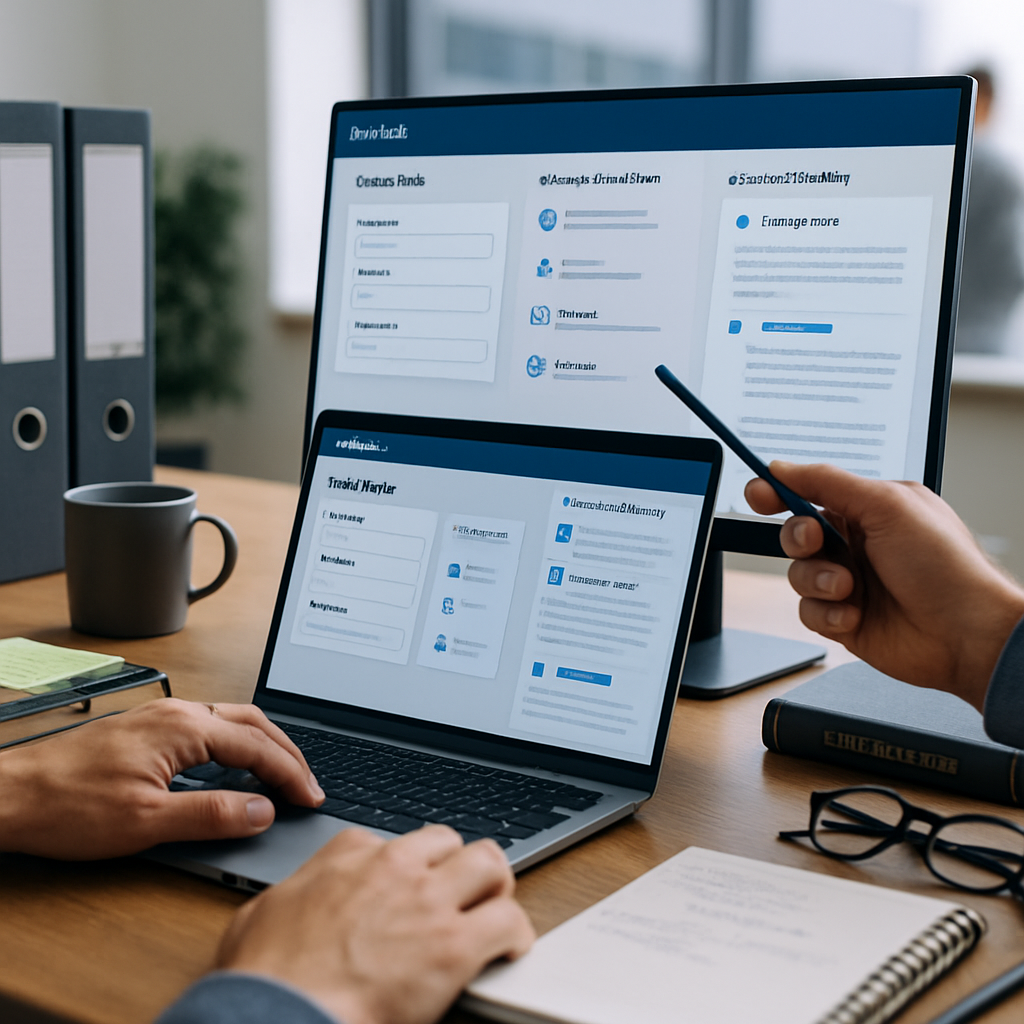
Efficient client intake is the single biggest lever immigration law teams can pull to reduce back-and-forth, cut days from onboarding, and improve data accuracy. This guide delivers 12 downloadable, customizable client-completed intake forms for immigration firms templates, each designed to map directly into a case management client portal and populate custom fields for automated workflows. Expect practical mapping instructions, a ranked rationale for selection, and a paralegal-ready checklist for intake automation.
These templates are built for firms and corporate immigration teams that want to scale without proportionally increasing headcount. They focus on the data points case teams need to automate task routing, deadline creation, document generation, and USCIS tracking. If you evaluate client portal software for immigration law firms, use these templates to benchmark onboarding speed, integration effort, and the ROI of reduced manual entry.
How LegistAI Helps Immigration Teams
LegistAI helps immigration law firms run faster, cleaner workflows across intake, document collection, and deadlines.
- Schedule a demo to map these steps to your exact case types.
- Explore features for case management, document automation, and AI research.
- Review pricing to estimate ROI for your team size.
- See side-by-side positioning on comparison.
- Browse more playbooks in insights.
More in Intake Automation
Browse the Intake Automation hub for all related guides and checklists.
How we ranked these 12 intake templates
This ranked list prioritizes templates based on three practical criteria: automation-readiness, legal completeness, and client friction reduction. Automation-readiness measures how well a form’s fields map to discrete case-management objects (e.g., A-file number, visa category, filing deadlines). Legal completeness checks whether the template captures statutory facts and supporting evidence commonly required by USCIS or consular processing. Client friction reduction evaluates language clarity, multi-language support, and required-document checklists to minimize follow-up. Each template below is ranked for use frequency and automation impact in small-to-mid sized immigration practices.
We compared templates across these dimensions and included a quick comparison table so practice managers can decide which intake forms to deploy first. For teams evaluating client portal software for immigration law firms, start with templates that offer the highest ratio of automation-readiness to client effort.
| Template | Automation-Readiness | Legal Completeness | Suggested Priority |
|---|---|---|---|
| Family-Based Initial Intake | High | High | 1 |
| Employment-Based H-1B Intake | High | High | 2 |
| Green Card Adjustment Intake | Medium-High | High | 3 |
| FOIA Request | Medium | Medium | 8 |
Below is an implementation checklist to map any template into your client portal and custom fields. Use this checklist for onboarding immigration clients with custom fields to reduce manual entry and accelerate workflow automation.
- Identify discrete data fields: define each field name, data type, and validation rule (e.g., date of birth = date, A-number = numeric/alphanumeric).
- Map fields to case schema: match each discrete field to your case management object (client, petitioner, beneficiary, employer, filing).
- Create custom portal fields: in the client portal, add or reuse fields and mark required fields for intake completion.
- Set routing and conditional logic: define rules that trigger tasks, deadlines, or document requests based on responses (e.g., if filing category = "H-1B", create H-1B checklist tasks).
- Locale and language mapping: enable Spanish labels and translations for fields commonly answered by Spanish-speaking clients.
- Test end-to-end: submit a mock intake to verify data populates the case, triggers task automation, and generates any template documents.
- Iterate and measure: collect paralegal feedback and track time saved per intake to justify rollout.
1. Family-Based Initial Intake (Primary petitioner & beneficiaries)
The Family-Based Initial Intake template captures essential details for family sponsorship cases: petitioner and beneficiary demographics, relationship history, marriage and divorce records, prior immigration history, criminal history disclosures, and supporting-document checklists. This template is optimized for client completion: plain-language prompts, optional file upload slots, and conditional logic that surfaces beneficiary-specific questions only when relevant. It is designed to reduce follow-up and to populate case-management custom fields automatically.
Why use this template
Family cases involve multiple parties and cross-referenced dates. The template emphasizes discrete field capture for names, A-numbers, dates, and relationship evidence, which improves the accuracy of automated document assembly for I-130 petitions and subsequent forms. Use the template when you need to onboard households quickly and ensure key deadlines (priority date tracking, RFE windows) are created automatically.
Mapping & Portal Tips
Map petitioner/beneficiary sections to separate case contacts and create repeatable beneficiary arrays in the portal. Include custom fields for: relationship type, marriage date, marriage certificate upload, prior petitions, and deportation history. Set conditional logic so that a response indicating prior removal proceedings triggers an alert and creates a folder for case notes.
Pros / Cons
- Pros: Reduces repeated client follow-up, captures multi-party data, ready for document automation.
- Cons: Requires careful mapping for multi-beneficiary households; may need extra instructions for elderly clients who rely on representatives to complete forms.
2. Employment-Based H-1B Intake (Candidate + Employer)
This Employment-Based H-1B Intake template collects the candidate’s education, employment history, wage information, job duties, employer business details, and evidence items required for specialty-occupation filing. It separates candidate responses from employer-provided data, enabling parallel completion: a candidate-facing portion for personal and education information and an employer-facing portion for job description, company size, and payroll details. The structure minimizes back-and-forth and supports AI-assisted draft generation for the H-1B petition narrative.
Automation mapping
Key fields to map include SOC code, proposed wage, prevailing wage documentation, job start date, and employer FEIN. Use these to populate document templates and trigger workflow steps like prevailing-wage procurement, LCA creation reminders, and evidence uploads. The template is intentionally modular: employers can fill their section through the client portal or via an internal employer intake link.
Pros / Cons
- Pros: High automation-readiness; ideal for practices handling multiple employer-sponsored filings.
- Cons: Requires secure collection of employer financial documents and validation of wage data; firms should configure role-based access control for employer vs. attorney views.
3. Green Card Adjustment (I-485) Intake
The Green Card Adjustment intake is tailored for applicants filing Form I-485 or adjustment-related packages. It collects immigration history, prior entries, status history, employment authorization preferences, medical exam details, and dependent information. The intake also asks targeted questions to identify potential inadmissibility issues, waivers, or grounds for removal that warrant immediate attorney review.
Mapping & compliance controls
Map A-number, priority date, current nonimmigrant status, and prior removals to custom fields that feed into deadline and RFE-tracking workflows. Include file upload slots for I-94, prior approvals, medical exam (Form I-693), and biometric notices. For compliance, configure role-based access control and audit logs so sensitive medical and conviction records are restricted to authorized users.
Pros / Cons
- Pros: Captures the nuanced facts necessary for adjudication and for preparing common RFE responses; feeds automated evidence tracking.
- Cons: Sensitive data increases the need for encryption at rest and in transit; ensure your portal enforces secure upload channels.
4. Employer Sponsor Intake (I-129 / I-140 Employer Details)
This Employer Sponsor Intake focuses on company-level data required for I-129 and I-140 filings: corporate structure, payroll setup, FEIN, prior immigration filings, and ability-to-pay documentation. It helps immigration teams gather employer evidence systematically, reducing the administrative burden on HR and allowing attorneys to generate the employer support letter and financial exhibits quickly.
Portal mapping recommendations
Require discrete uploads for tax forms, payroll registers, and support letters. Map employer-level fields to a separate employer contact type and create a checklist that triggers an internal approvals workflow (HR verification, finance sign-off, attorney review). This setup helps transform employer responsiveness into a predictable, measurable process.
Pros / Cons
- Pros: Streamlines employer evidence collection and supports approval workflows; useful for firms managing corporate panels.
- Cons: Employers may need guidance on document redaction and format; build guidance text into the portal intake.
5. H-1B Candidate Technical Intake (Detailed job duties & evidence)
This technical H-1B Candidate Intake is a deeper variant for complex roles where the job duties and candidate qualifications require granular documentation. It asks for project histories, technical stacks, publications or patents, and supervisor declarations. The design supports AI-assisted drafting by providing structured duty descriptions and examples that can be used to create petition narratives and support letters.
How AI helps
When integrated with AI-assisted legal drafting, structured duty fields can be converted into a cohesive petition narrative and duties-to-education mapping. Map these fields to templates for support letters and include upload fields for employment verification letters, recommendation letters, and relevant certifications.
Pros / Cons
- Pros: Improves quality of petition narratives and reduces attorney drafting time; ideal for technical and specialty occupations.
- Cons: Requires client coaching to supply detailed project-level evidence; some clients may need examples to guide inputs.
6. Consular Processing DS-260 Intake
The Consular Processing DS-260 Intake gathers overseas applicant information necessary for consular interviews: passport details, travel history, police certificates, and contact information for U.S. sponsors. This template emphasizes accurate, passport-standard fields and clear upload slots for supporting documentation to avoid embassy delays. It also includes a consular appointment checklist and common interview preparation notes for clients.
Mapping considerations
Map passport number, issuance/expiry dates, and consular post preferences into the case system to drive appointment reminders and document generation. Create custom fields to flag missing police certificates or translations and integrate reminders into your calendar and USCIS tracking workflows.
Pros / Cons
- Pros: Reduces consular interview no-shows and incomplete submissions by providing a structured upload flow.
- Cons: Time-zone and local document availability for clients abroad can lengthen completion time; provide clear timelines and localized instructions.
7. Asylum & Removal Defense Intake
Asylum and removal defense intakes demand sensitive handling. This template guides clients through a trauma-informed intake while collecting details about the basis for protection, country conditions, past persecution, and corroborating evidence. It is written to minimize re-traumatization and to capture the granular narrative elements needed for drafting affidavits, exhibits, and legal arguments.
Security and workflow notes
Because of heightened sensitivity, configure role-based access control, strict audit logging, and encryption at rest for intake responses. Map discrete fields for date and location of incidents, witnesses, and available documentary evidence, and ensure that any automated reminders are discreet and client-preference-driven.
Pros / Cons
- Pros: Structured narrative capture makes drafting affidavits and country-condition research more efficient.
- Cons: Requires careful UX and client support; sensitive data increases compliance responsibilities.
8. FOIA Request Template (Initial Records Request)
The FOIA Request Template standardizes the initial records request for USCIS and DHS records. It captures identifiers (A-number, full legal names, dates of birth), specific records sought, timeframes, and requester authority. The template includes pre-written request language that attorneys can adapt and features discrete fields to populate a FOIA submission letter and track request IDs from agencies.
Portal automation tips
Map FOIA-specific fields to your case database to enable automated status tracking and deadline reminders. Create a workflow that generates a cover letter, schedules follow-up reminders at standard FOIA intervals, and flags incoming agency correspondence to the correct case file.
Pros / Cons
- Pros: Reduces drafting time for FOIA letters and standardizes follow-up cadence.
- Cons: Agency response times vary; the template helps you track but cannot control external turnaround.
9. FOIA Follow-ups & Records Intake (Response management)
This follow-up template is designed to intake and catalog records received from agencies after a FOIA request. It standardizes how documents are labeled, how redactions are tracked, and how new evidence is logged into the client file. The form helps attorneys triage records, identify gaps, and request expedited re-reviews or appeals where appropriate.
Integration tips
Map received document metadata (agency reference number, date received, redaction notes) into your case management system so that FOIA responses become searchable and can trigger downstream actions like RFE drafting or supplemental evidence requests. Include custom fields to classify documents by relevance and to attach short attorney notes summarizing redactions or missing items.
Pros / Cons
- Pros: Improves records triage and creates audit trails that are essential for appeals and evidentiary review.
- Cons: Requires consistent labeling discipline from staff; incorporate auditing to maintain quality.
10. Naturalization (N-400) Intake
The N-400 intake captures the data elements required for naturalization: residence and travel history, employment history, moral character questions, selective service status, and evidence for continuous residence. The template emphasizes structured timeline inputs to reduce errors when populating dates on the N-400 and to calculate eligibility windows automatically.
Mapping & automation
Create custom fields to capture continuous residence and physical presence calculations. Use the portal to collect supporting documents—tax returns, marriage records, selective service registration—so they attach to the case and trigger checklist completion. Automate reminders for oath ceremony paperwork or follow-up interviews.
Pros / Cons
- Pros: Improves accuracy on date-sensitive fields and helps paralegals validate eligibility before filing.
- Cons: Travel histories require careful validation; provide guidance and examples to reduce incomplete submissions.
11. Dependent & Derivative Beneficiary Intake
Many filings require parallel data collection for dependents and derivative beneficiaries. This template focuses on capturing the information needed for each derivative: relationship evidence, individual travel and criminal history, and passport documentation. It supports repeatable groups so clients can add multiple derivatives with the same underlying fields, which reduces form fatigue and ensures consistent data capture across individuals.
Best practices for mapping
Implement repeatable arrays in your client portal so each dependent becomes its own contact record linked to the principal applicant. Include required upload fields for birth certificates, marriage certificates, or adoption documents, and ensure the workflow creates separate document sets for each derivative to avoid cross-contamination of files.
Pros / Cons
- Pros: Makes multi-person filers efficient and reduces entry errors by standardizing fields.
- Cons: Complex family structures may need custom logic; plan for edge cases such as guardianship or step-relations.
12. Paralegal Checklist for Immigration Case Intake Automation (Template)
This paralegal-facing checklist template is designed to operationalize intake automation across your firm. It consolidates steps for reviewing client-submitted forms, validating required uploads, mapping responses to case fields, and initiating automated workflows like task routing and deadline creation. Use this as a working document for onboarding paralegals to the firm's intake-to-workflow process and to standardize quality control.
Checklist (implementation artifact)
- Confirm client identity and contact info match existing records; flag duplicates.
- Verify required uploads: passport, I-94, marriage/birth certificates, and evidence specific to the case type.
- Validate discrete fields: A-number, birth dates, priority dates, SOC code, FEIN, as applicable.
- Map each discrete field to the case schema and confirm values populate correctly in a test case.
- Run automated tasks: trigger LCA/prevailing wage, schedule medical exam reminders, or create biometric appointment tasks.
- Perform quality assurance: check for missing or inconsistent answers and send targeted follow-ups via secure client portal messages.
- Log completion and audit: record who verified the intake and timestamp in audit logs.
Using this checklist
Integrate the checklist into your case management dashboard so paralegals can complete and sign off on each intake as a step in the workflow. This approach increases throughput while preserving compliance and provides measurable metrics for onboarding ROI and throughput improvements.
Conclusion
These 12 client-completed intake forms for immigration firms templates are designed for immediate deployment into modern client portals and case management systems. By mapping discrete fields to custom objects and using conditional logic, your team can reduce repetitive data entry, improve data quality, and trigger automated workflows that save time and mitigate risk. Start by piloting the top 2–3 templates that align with your practice mix—family-based, H-1B, or adjustment of status—and measure time-to-complete and upstream drafting time saved.
LegistAI is purpose-built to help immigration teams automate intake-to-draft workflows and integrate AI-assisted research and document generation into the same platform. Request a demo to see these templates in action, learn how to map them into your client portal, and evaluate expected ROI for your practice. Our onboarding guidance includes the mapping checklist above and recommended role-based controls to keep sensitive data secure.
Frequently Asked Questions
Can these intake templates be customized for my firm’s client portal?
Yes. Each template is designed to be modular and maps to discrete data fields. Use the mapping checklist to define field names and validation rules, then create corresponding custom fields in your client portal. This lets you drive automation like task routing and document generation from client responses.
How do I ensure sensitive data collected on intakes is secure?
Follow least-privilege access patterns: use role-based access control, encryption in transit and at rest, and maintain audit logs for access to sensitive records. Configure the portal to restrict views of medical or conviction histories and require authorized sign-off for disclosure.
What is the best order to deploy these templates across a small practice?
Prioritize templates based on case volume and automation impact. For many practices, start with Family-Based Initial Intake, Employment-Based H-1B Intake, and Green Card Adjustment Intake. Use the ranking criteria in this guide to assess which templates will reduce the most manual work per filing type.
Can paralegals use these templates to automate routine tasks?
Yes. The paralegal checklist template operationalizes intake automation. When paralegals validate fields and complete the checklist in the system, it should trigger downstream tasks such as document assembly, filing reminders, and approvals. This reduces attorney review time for routine errors.
Do these templates support Spanish-speaking clients?
The templates are structured to allow multi-language labels and translation of prompts. When you map templates into your client portal, enable Spanish language support for field labels and guidance text to improve completion rates for Spanish-speaking clients.
How do I measure ROI after deploying these intake templates?
Track baseline metrics like average intake completion time, paralegal hours per intake, error rates requiring attorney correction, and time from intake to draft submission. After deployment, measure reductions in these metrics to calculate time and cost savings attributed to automation.
Want help implementing this workflow?
We can walk through your current process, show a reference implementation, and help you launch a pilot.
Schedule a private demo or review pricing.
Related Insights
- Client intake software for immigration law firms: templates, custom fields, and ROI
- Immigration case intake form templates with custom fields: 12 templates and setup checklist
- Client Intake Form Templates for Immigration Law Firms — ready-to-use templates and best practices
- Client intake form templates for immigration law firms with custom fields and validation rules
- Immigration client intake form templates for law firms: customizable fields and workflows